What it does
Account Isolation has three parts, shown as cards on the page:
- Resource limits. Every account runs in its own share of the server with the CPU, memory, disk speed and process limits of its package. A busy or broken site slows down or stops only its own account. PHP, cron jobs, SSH sessions, the terminal and applications all count.
- Private file system (cage). Each account sees only its own home folder, its own processes and its own
/tmp. Other accounts' names, files and processes are hidden from its PHP, cron jobs, SSH and SFTP sessions and terminal. The server's programs stay available, read-only. The cage needs resource limits to be on. - Database limits. Caps each database user's connections and how long one query may run. An account that keeps the database busier than its package allows is held to one connection per user for five minutes, and its long-running queries are ended.
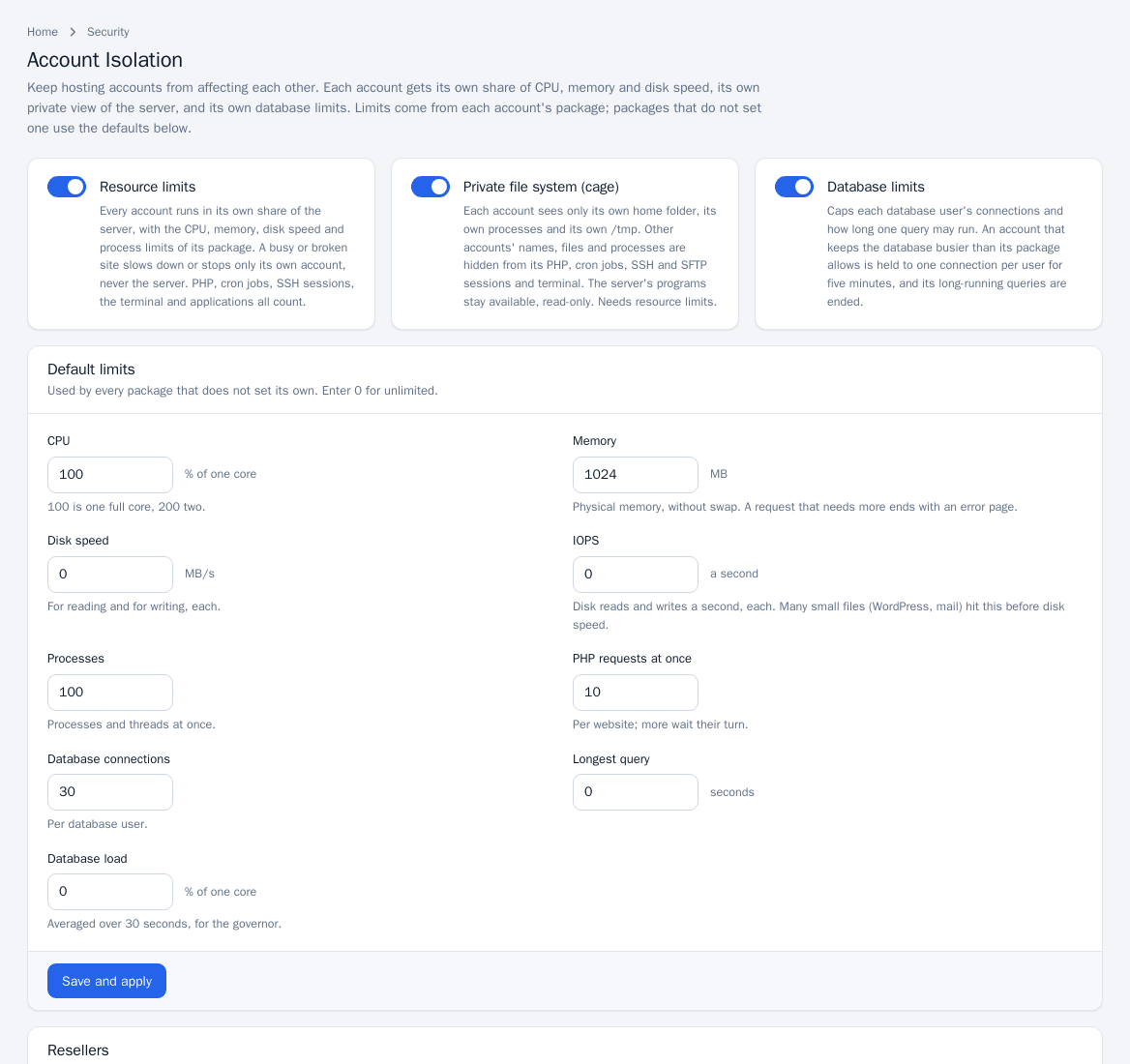
Turn isolation on and set the defaults
- Open Security Center > Account Isolation.
- Use the switches on the three cards to turn on resource limits, the private file system and database limits.
- Under Default limits (used by every package that does not set its own) fill in: CPU (% of one core, 100 is a full core), Memory (MB of physical memory, without swap), Disk speed (MB/s), IOPS, Processes, PHP requests at once (per website), Database connections (per database user), Longest query (seconds) and Database load (% of one core, averaged over 30 seconds). Enter 0 for unlimited.
- Click Save and apply. The change is applied as a job; the activity box shows progress. If it fails, it is undone and the output shows why.
Per-package limits
Packages carry their own values (see Packages); where a package does not set a limit, the defaults above apply.
Reseller ceilings
If you have resellers, the Resellers table shows the highest limits each reseller's accounts may have. Click Edit limits to open Limits for <reseller>, set a ceiling per limit (0 for no ceiling) and click Save limits. An account whose package allows more, or unlimited, is held to the reseller's ceiling. Resellers set limits on their own packages within these.
Watch usage
The Accounts table lists use now and how often each account reached its limits in the last 24 hours (CPU limit, memory, processes, CPU held back, memory and process limit hits, database restraints), most-limited first. Recent database restraints lists events since the panel last started.
Notes and limits
- With LiteSpeed Enterprise, PHP is started by the web server, so PanelFi moves its processes into the account's limits within two seconds of them starting. OpenLiteSpeed and NGINX start PHP inside the limits.
- A request that needs more memory than the limit ends with an error page.
- On CloudLinux OS you can use CloudLinux's LVE and CageFS instead: turn on CloudLinux mode as described in CloudLinux OS. The two are never on at the same time.