Browse and search zones
Open DNS Functions > DNS Zone Manager. The table lists each zone and the account that owns it (or "standalone"). Use the search box to filter by zone or account. Zones for account domains are created and removed together with the domain; resellers see only their own accounts' zones.
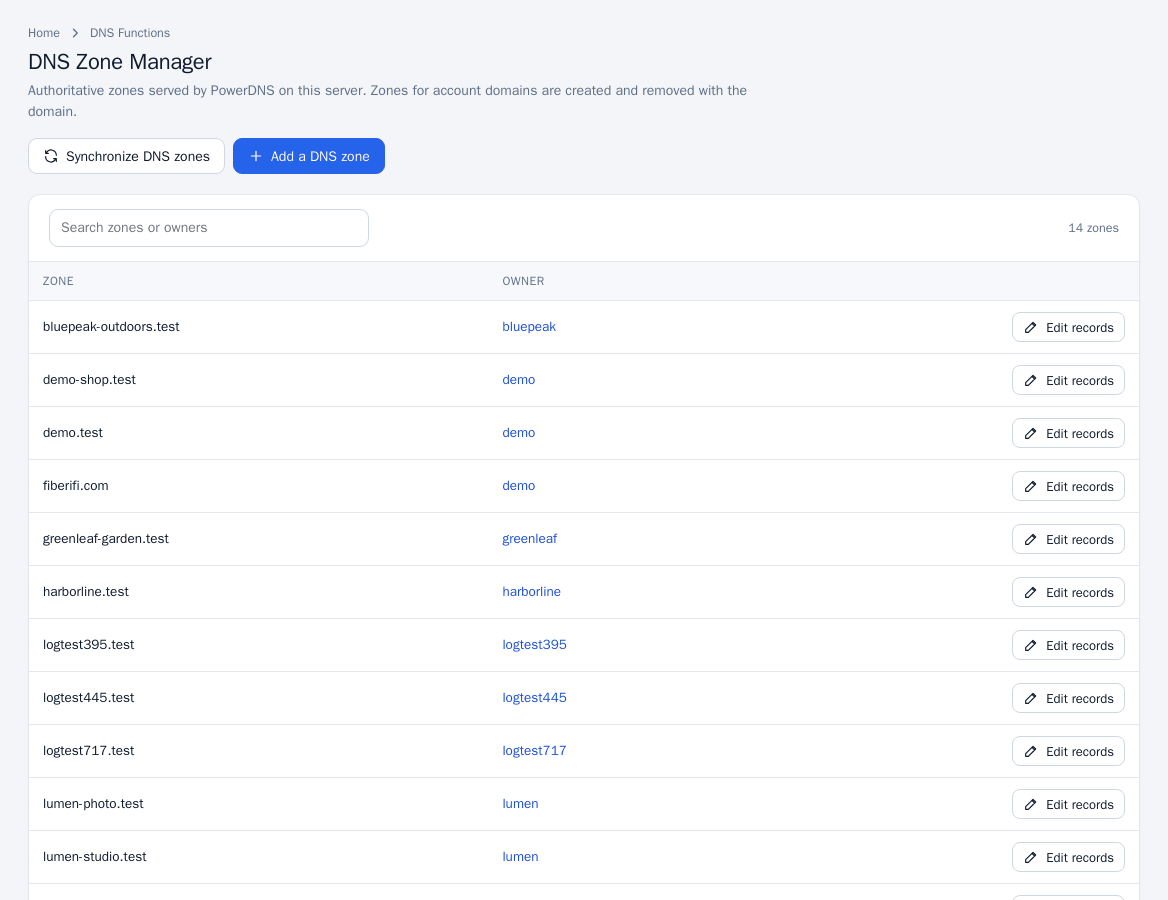
Edit records
- Click Edit records beside a zone.
- Use the type filter (All, A, AAAA, CNAME, MX, TXT, SRV, CAA, NS) to narrow the table, which shows Name, TTL, Type and Record.
- Click Add record, or the quick buttons + A, + CNAME, + MX, + TXT. Choose the Type, enter the Name (relative to the zone), the Record value, a Priority (for MX and SRV) and the TTL (seconds), then click Add record.
- To change a record click Edit, then Save record. To remove one click Delete and confirm.
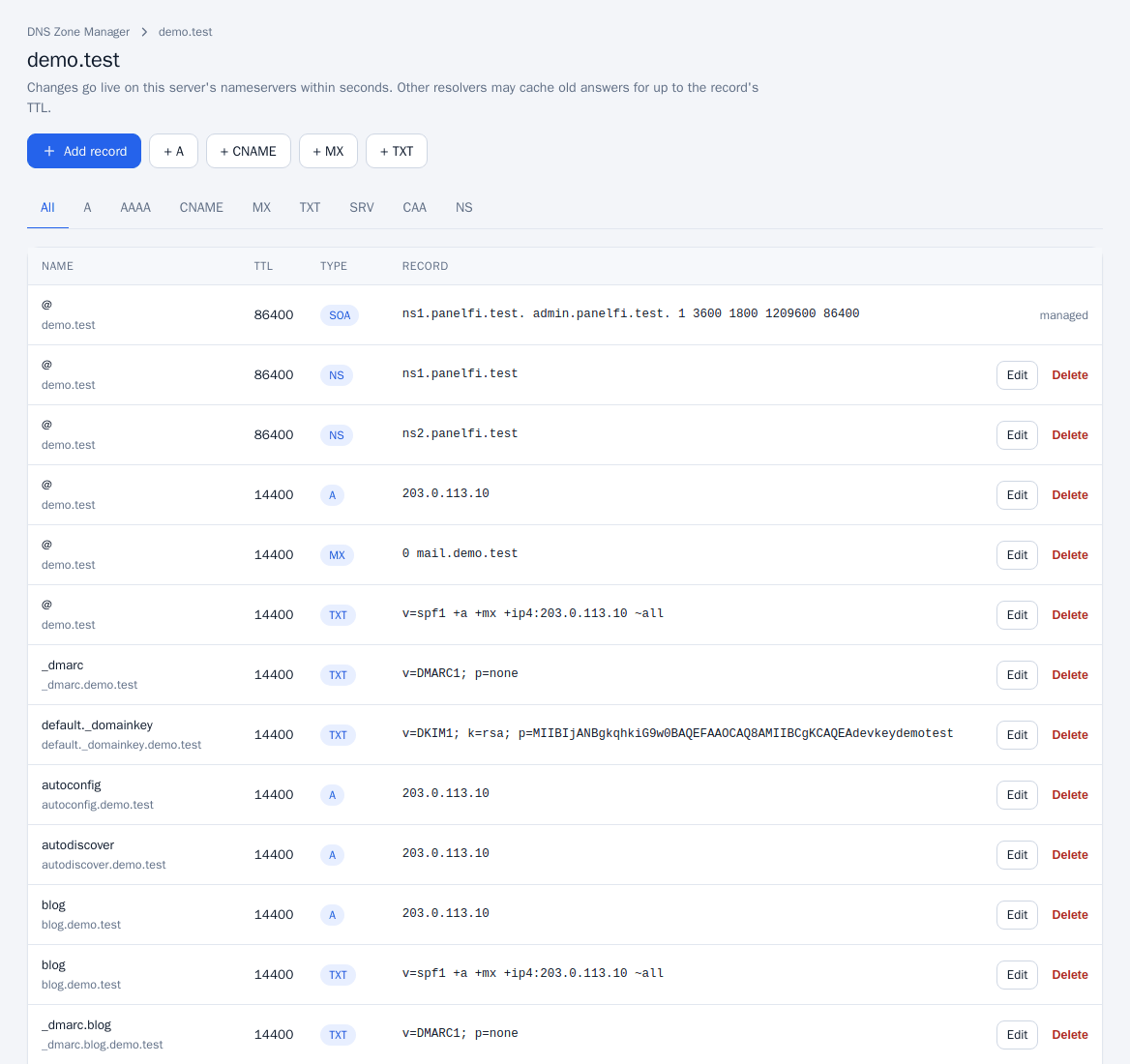
Changes go live on this server's nameservers within seconds. Other resolvers may cache old answers for up to the record's TTL. The SOA record is managed by PanelFi and cannot be edited. Deleting the last NS record at the zone apex is refused.
Add a standalone zone
- Click Add a DNS zone (or DNS Functions > Add a DNS Zone). Administrators only.
- Enter the Domain and the IPv4 address for the zone; it is used for the apex,
wwwandmailrecords. - Click Create zone.
Use a standalone zone to serve DNS for a domain that has no hosting account here. Standalone zones can be deleted with Delete zone in the zone's danger area (type the zone name to confirm); account zones are removed with the domain.
Reset a zone
On a zone's page, Reset zone replaces all records with the default set pointing at this server. Custom records are lost, so type the zone name to confirm. It also recreates a zone that is missing from the DNS server.
Synchronize DNS zones
Click Synchronize DNS zones (administrators) to re-create zones that exist for account domains but are missing from the DNS server. The result says how many missing zones were recreated.
Notes
- New zones get the standard record set plus any extra records from zone templates.
- Customers edit their own zones in the Zone Editor.
- To keep zones on more than one server see DNS clustering; to sign a zone see DNSSEC.