Where to find itCustomer panel › Security › SSL/TLS Status
Check your certificates
Open SSL/TLS Status. Each domain is listed with its kind (main, addon, subdomain), the names the certificate covers (for example covers www.example.com), its status and its expiry date. A certificate that PanelFi manages shows how many days remain and renews automatically. A certificate your provider installed yourself is marked as such and has no Reissue button.
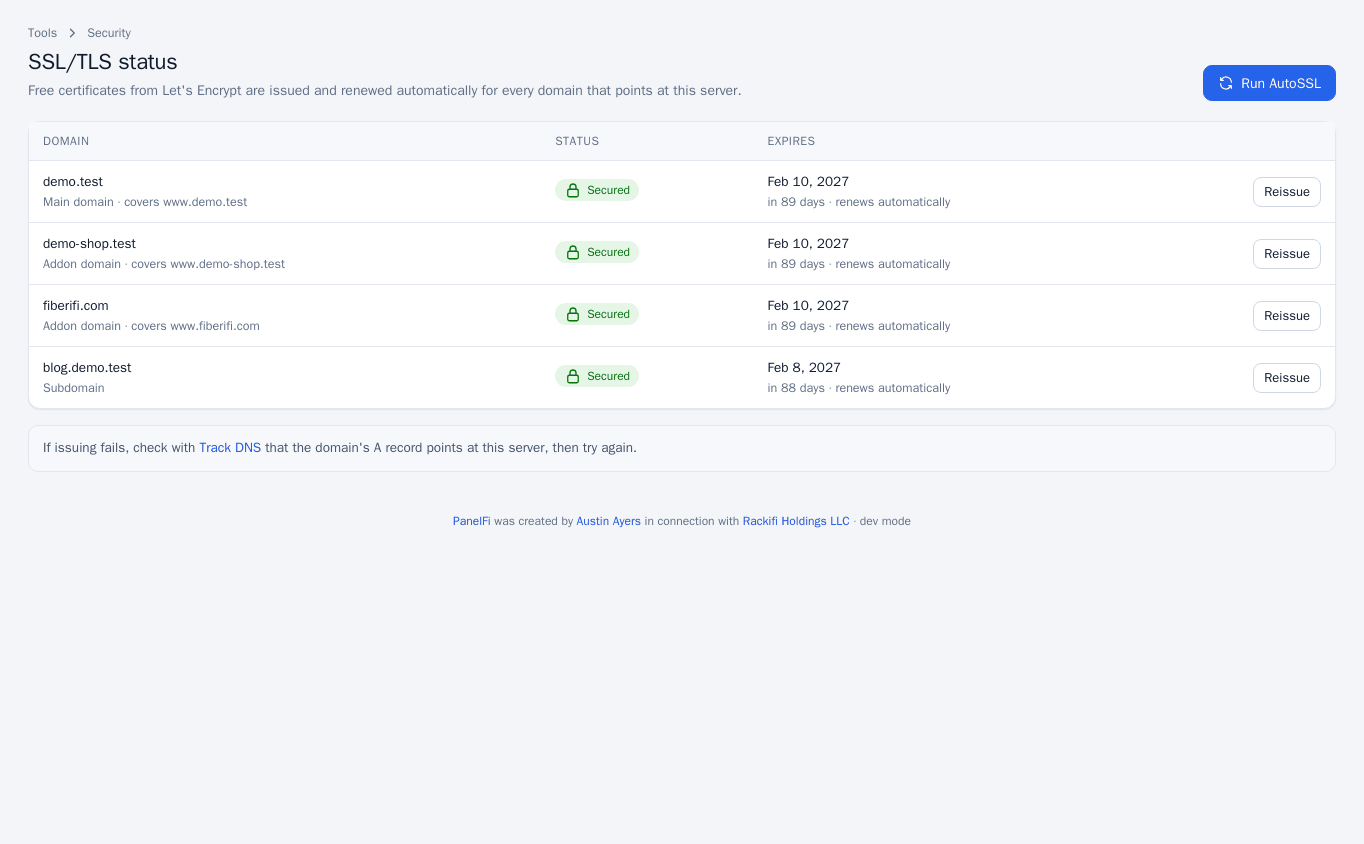
Request a certificate
- Press Issue now (or Reissue) on the domain, or Run AutoSSL at the top to request certificates for all your domains.
- Wait about a minute and refresh the page. The status changes to Secured when it works.
Domains with a suspended account or without a website are skipped.
If issuing fails
- Check with Track DNS (under Advanced) that the domain's A record points at this server, then try again.
- If a free certificate cannot be issued or renewed, you get an account notice by email unless you switched that notice off under Contact Information.
Notes and limits
- Custom certificates are installed by the server administrator; see custom and hostname certificates.
- SSL/TLS Status can be switched off per package in the Feature Manager.