Where to find itCustomer panel › Domains › Domains
The three kinds of domain
- Addon domain: a separate domain with its own website folder.
- Subdomain: a name under one of your domains, such as
blog.example.com. Any name that ends in one of your domains becomes a subdomain automatically. - Alias: another domain that shows the same site as your main domain (it shares the main domain’s document root).
The tiles at the top show how many of each you use out of your package limit.
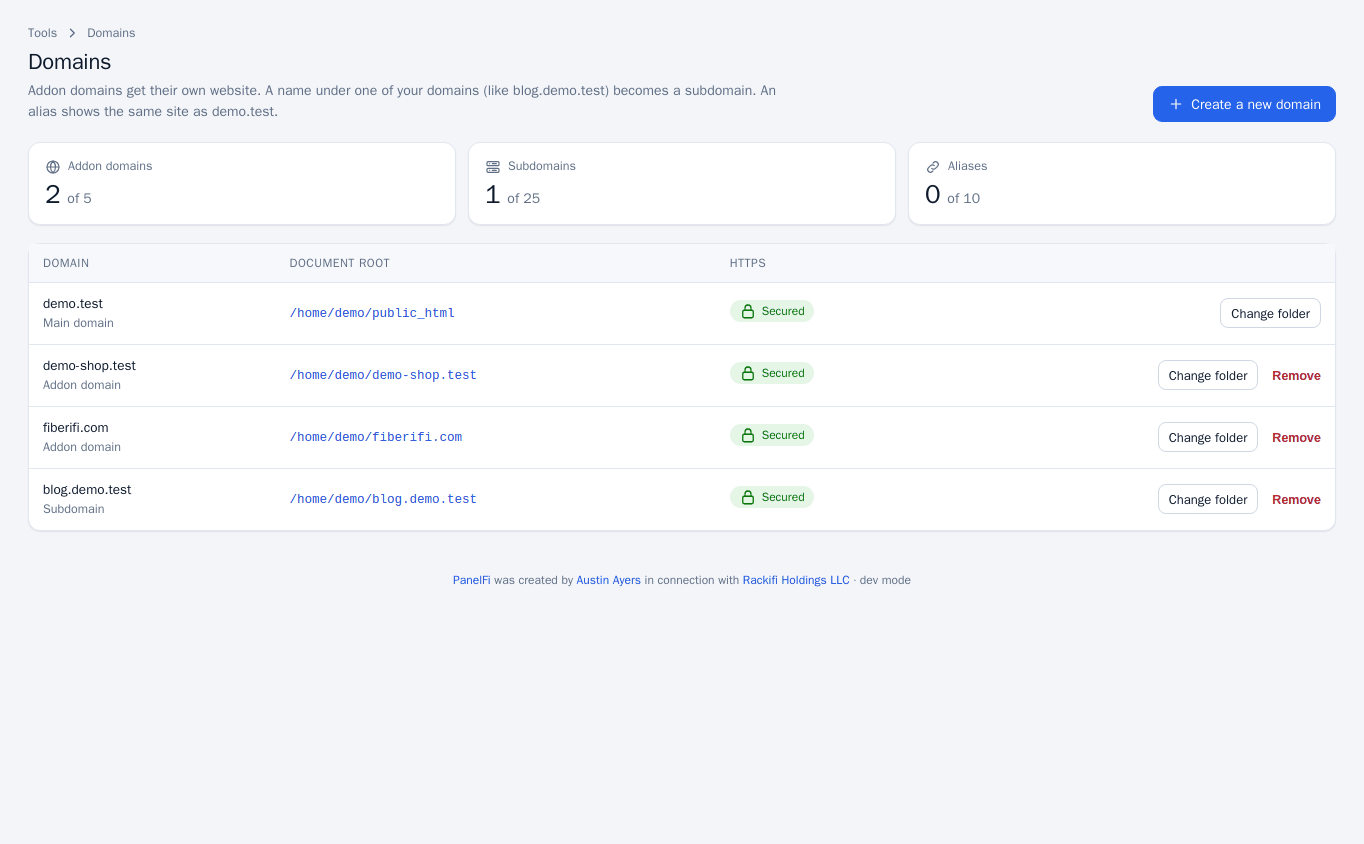
Add a domain
- Point the domain’s nameservers or A record at this server first (for a subdomain this is not needed).
- Open Domains > Domains and click Create a new domain.
- Type the Domain without
www.; it is added automatically. - For an alias, tick Share the document root of your main domain (create an alias). Otherwise choose the Document root, a folder under your home folder; leave it empty to use a folder named after the domain. The folder is created if it does not exist.
- Click Create domain.
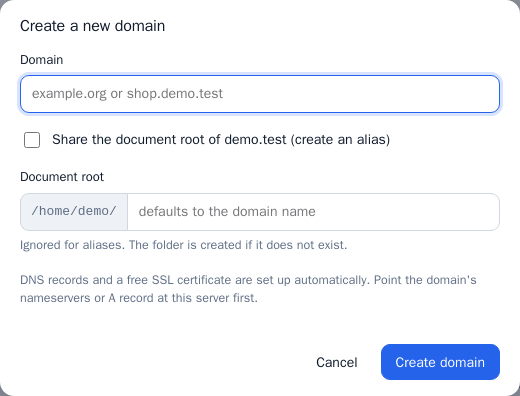
PanelFi creates the DNS zone (or the subdomain’s records in its parent zone), updates the web server and requests a free SSL certificate in the background when AutoSSL is on. The list shows HTTPS as Secured once a certificate covers the name.
Change a document root
Click Change folder on a row, enter the new folder and click Save. Aliases have no folder of their own. The main domain can change its folder too.
Remove a domain
Click Remove on a row. The domain is taken out of DNS and the web server, but its files are kept. The main domain cannot be removed here.
Notes and limits
- A folder named
tmp,mail,etc,logs,.sshor.panelficannot be a document root. - You cannot add a domain that is already on the server in another account.
- The limits come from your package (see Packages); when you reach one you get an error until you remove one or your host raises the limit.
- To move a domain between account types, ask your provider (Move a Domain is a server panel tool).