Where to find itServer panel › SSL/TLS › Install an SSL Certificate ; Server panel › SSL/TLS › Manage Service SSL Certificates
Install a purchased certificate
Use this when you were given a certificate instead of using the free automatic one.
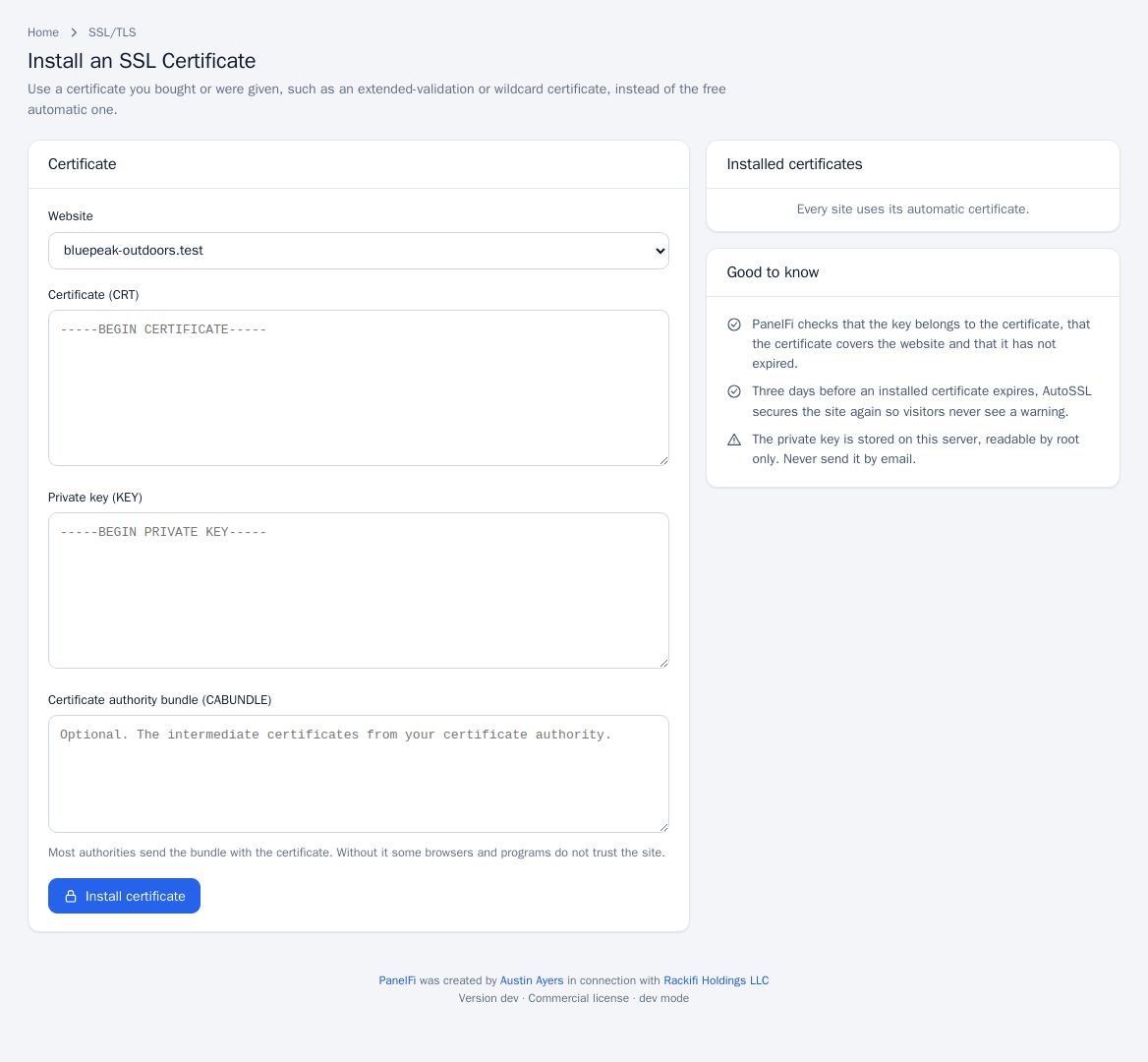
- Open SSL/TLS > Install an SSL Certificate.
- Choose the Website.
- Paste the Certificate (CRT), the Private key (KEY) and, if your authority sent one, the Certificate authority bundle (CABUNDLE). Without the bundle some browsers do not trust the site.
- Click Install certificate.
PanelFi checks that the key matches the certificate, that the certificate covers the website and that it has not expired. Installed certificates are listed on the same page, each with a Remove button.
Three days before an installed certificate expires, AutoSSL secures the site again so visitors never see a warning. The private key is stored on the server, readable by root only. Never send it by email.
Panel and hostname certificate
The panels (ports 2083 and 2087) use a self-signed certificate until a trusted one is issued for the server hostname, so browsers warn.
- Make sure the hostname (shown on the page) resolves to this server.
- Open SSL/TLS > Manage Service SSL Certificates. It opens the Service certificate for the panel card on Manage AutoSSL.
- Click Get a certificate for <hostname>. When one is installed the card reads Trusted certificate installed. Renews automatically. and the button becomes Renew now.

Notes and limits
- Installing certificates and the service certificate are root-only actions.
- To go back to the free certificate, remove the custom certificate; AutoSSL then issues one.
- Changing the hostname is covered in Server settings.