Where to find itServer panel › Packages › Feature Manager
Choose the tools in a package
- Open Packages > Feature Manager (also reachable from the Packages page).
- The table has one row per customer tool and one column per package. Tick a box to include the tool in that package; untick it to switch the tool off.
- Click Save feature lists.
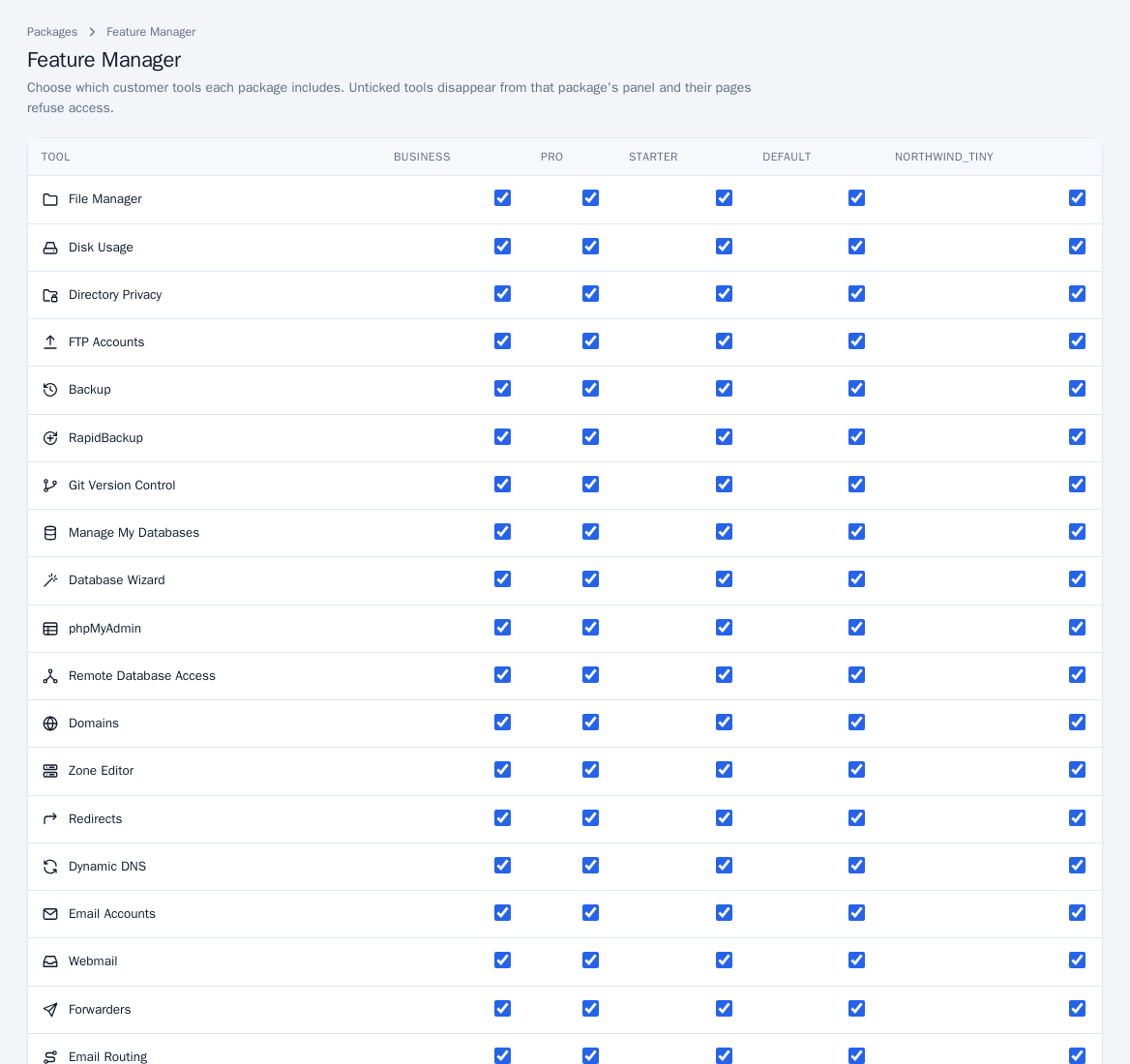
The change applies to every account on the package straight away. Customers lose the tile and the page returns an access error for a tool that is off.
What can be switched off
The list covers the Customer panel tools marked as package features, for example File Manager, Disk Usage, FTP Accounts, Backup and RapidBackup, Git, databases and phpMyAdmin, Domains, Zone Editor, Redirects, email tools, Visitors and Web Statistics, SSH Access, IP Blocker, Virus Scanner, MultiPHP Manager, WordPress Manager, the Application Installer, Node.js/Python/Ruby apps, Cron Jobs, Terminal and others. Password & Security and Contact Information are always available. Tools that are not yet built in your version do not appear.
Notes
- The Feature Manager is for server administrators; resellers cannot open it.
- A package saved after the page loaded keeps all its tools until you save again; only packages shown on the page are changed.
- Package limits (disk, domains and so on) are set on the package itself: Packages.