Create a database and a user
Names are prefixed with your account name (for example demo_), and applications connect to host localhost.
- Open Databases > Manage My Databases.
- Under Create a database, type the name after the prefix and click Create. The panel shows how many databases you have used out of your limit.
- Under Create a database user, type the user name, the password twice (or Generate) and click Create user.
- Under Add a user to a database, choose the user and the database, tick the privileges (or all privileges) and save.
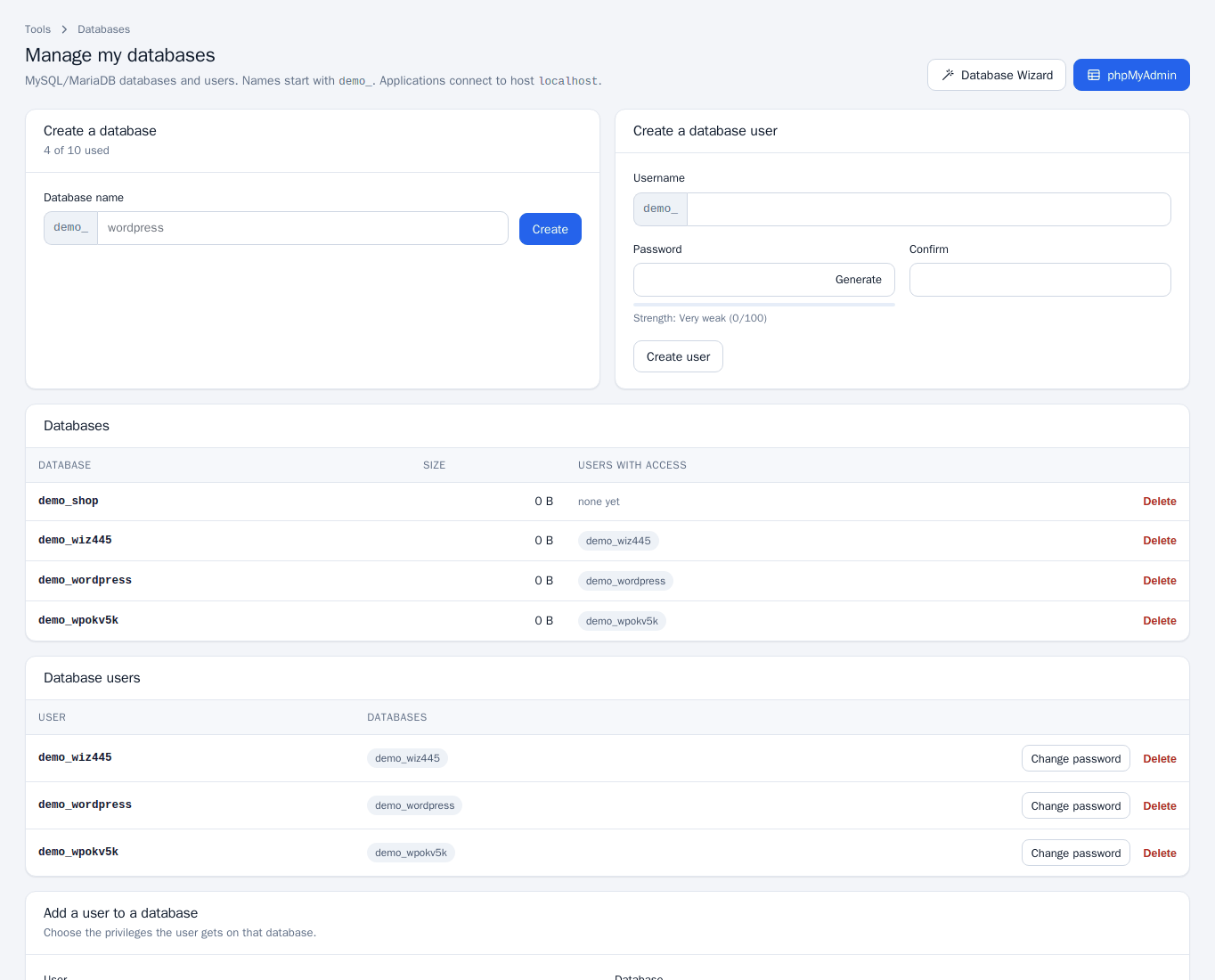
The privileges you can grant are SELECT, INSERT, UPDATE, DELETE, CREATE, DROP, ALTER, INDEX, REFERENCES, CREATE TEMPORARY TABLES, LOCK TABLES, CREATE VIEW, SHOW VIEW, CREATE ROUTINE, ALTER ROUTINE, EXECUTE, EVENT and TRIGGER, or ALL PRIVILEGES. The databases table shows each database’s size and the users that can use it; remove a user’s access from that list when it is no longer needed.
Database Wizard
The wizard (Databases > Database Wizard, or the button on the Manage page) is what applications such as WordPress need:
- Step 1: create the database (lower-case letters, digits and underscores).
- Step 2: create a database user and password.
- Step 3: choose the user’s privileges on the database (all privileges is the usual choice) and click Make changes.
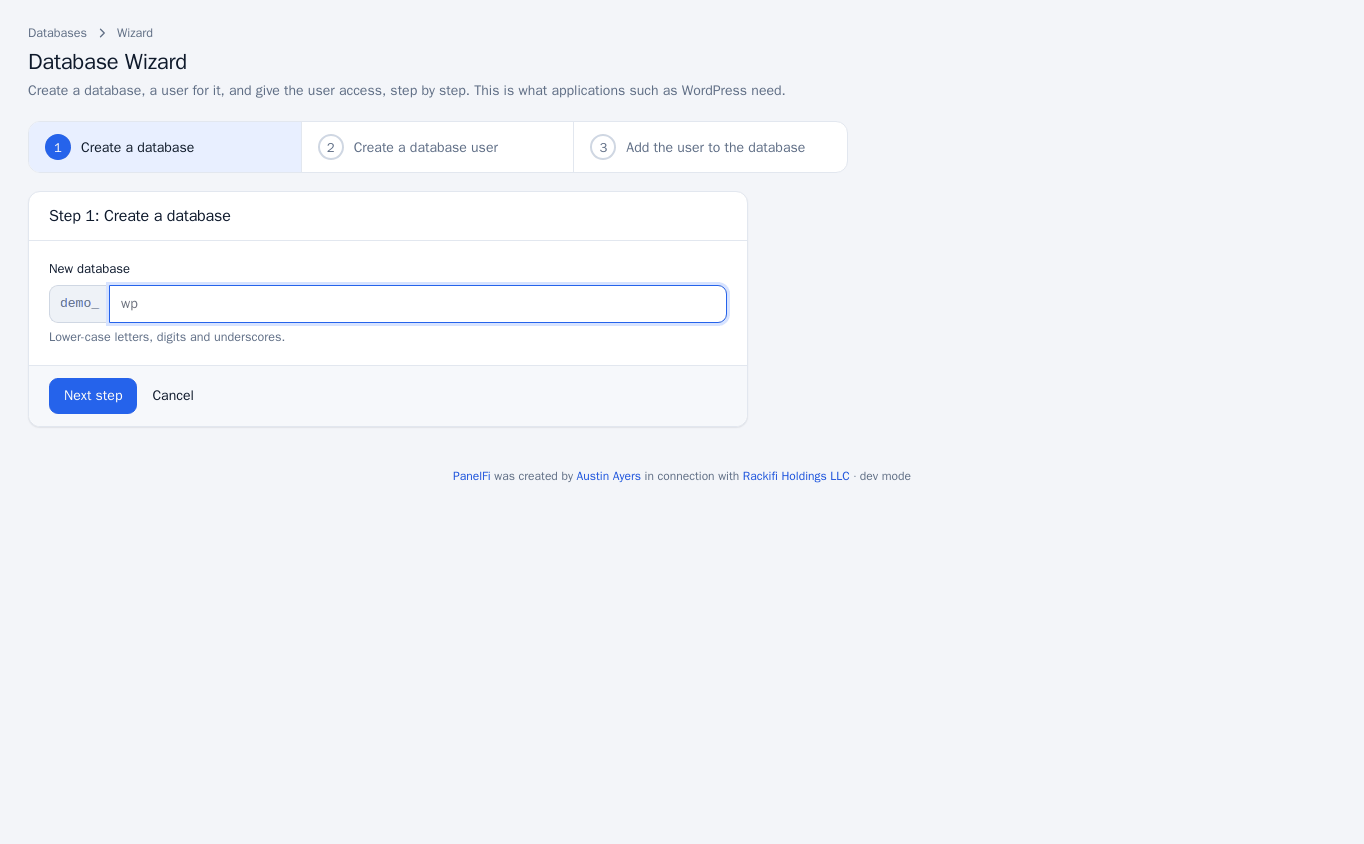
The final screen lists the database, user and host localhost to enter in your application’s configuration (for WordPress, in wp-config.php).
Change a password or delete
- Change password on a database user sets a new password. Update the application that uses it too.
- Delete on a database or user removes it. Deleting a database removes its data permanently, so download a dump first from Backup.
phpMyAdmin
Click phpMyAdmin (on the Manage page or under Databases > phpMyAdmin). You are signed in automatically with a one-time token, with access to your own databases only. Use it to browse tables, run queries, and import or export data.
Notes and limits
- Database names and users are limited by your package.
- If phpMyAdmin is not installed on the server, the panel says so.
- phpMyAdmin and Manage My Databases can be switched off per package in the Feature Manager.
- To connect from another server, see Remote Database Access.