See your packages
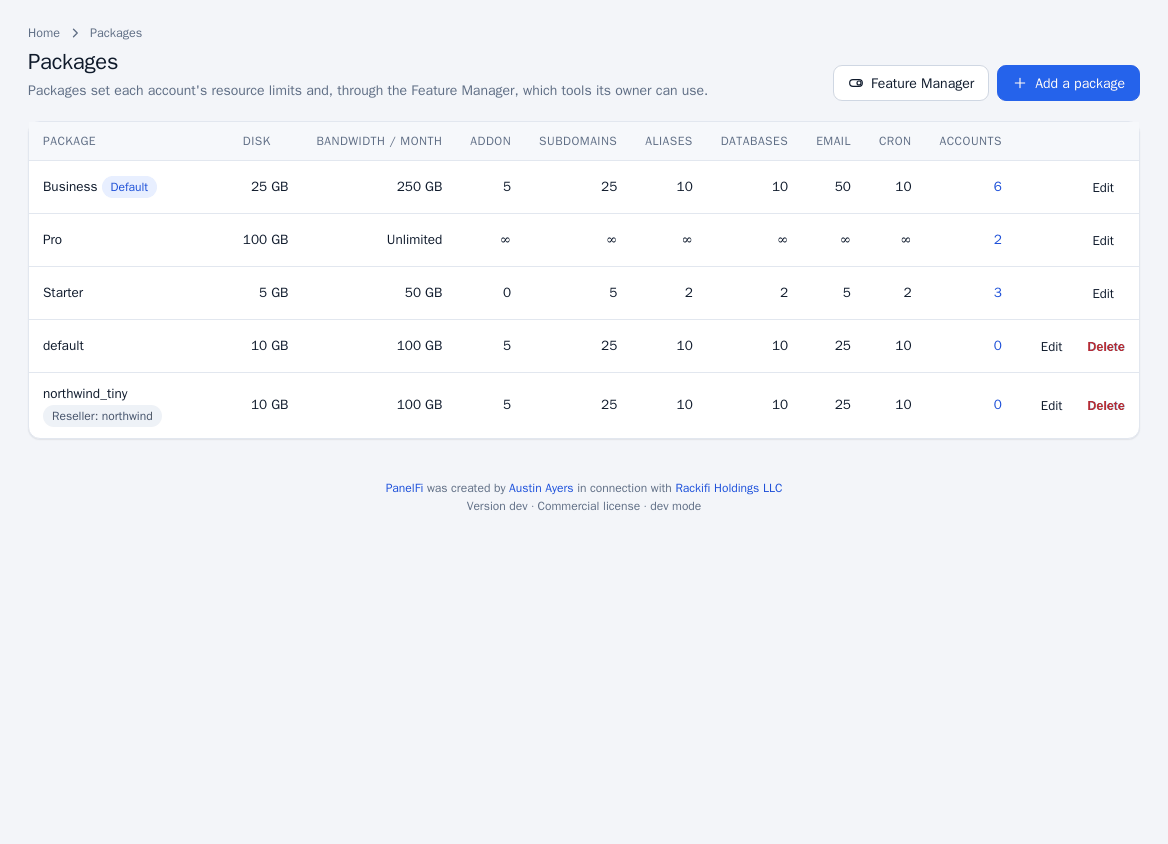
Open Packages > Packages. The table lists each package with its disk, monthly bandwidth, addon domain, subdomain, alias, database, email and cron limits and how many accounts use it. A package with some tools switched off is marked Default tools turned off, and a package that makes an account a reseller is marked too.
Add a package
- Click Add a package (Packages > Add a Package).
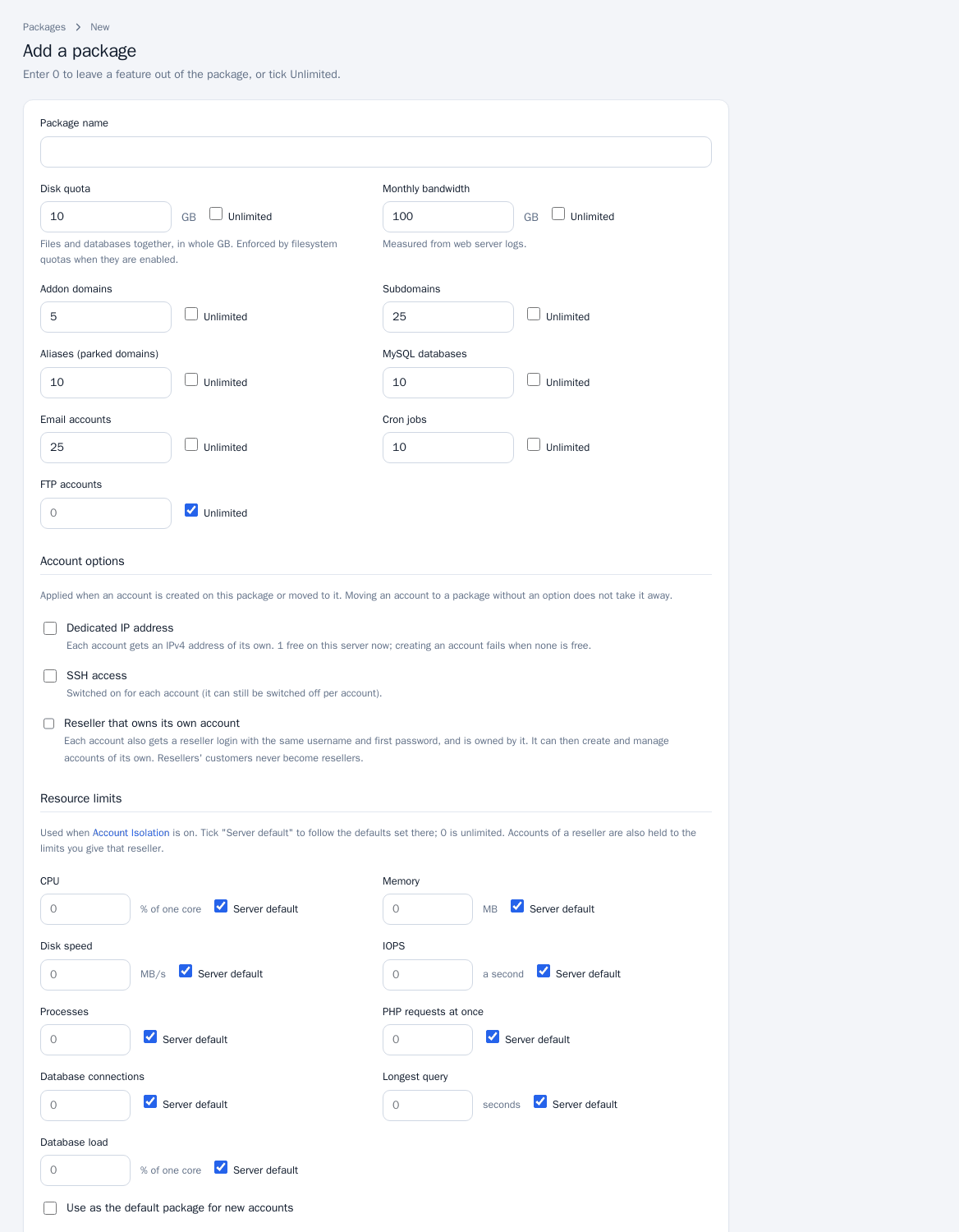
- Enter the Package name.
- Set the limits. Enter a number, or tick Unlimited (0 also means unlimited):
- Disk quota in GB (files and databases together; enforced by filesystem quotas when enabled).
- Monthly bandwidth in GB, measured from the web server logs.
- Addon domains, Subdomains, Aliases (parked domains), MySQL databases, Email accounts, Cron jobs and FTP accounts.
- Choose Account options (administrators only):
- Dedicated IP address: each account gets its own IPv4 address. The form shows how many addresses are free; creating an account fails when none is.
- SSH access: switched on for each account (it can still be switched off per account).
- Reseller that owns its own account: each account also gets a reseller login with the same username and first password, and owns itself. Set Accounts the reseller may create, Disk the reseller may hand out and Bandwidth the reseller may hand out. Customers of a reseller never become resellers.
- Under Resource limits set per-account limits: CPU, Memory, Disk speed, IOPS, Processes, PHP requests at once, Database connections, Longest query and Database load. These apply when Account Isolation is on; tick Server default to follow the server's defaults.
- Optionally tick Use as the default package for new accounts.
- Click Save package.
Edit or delete a package
Click Edit on the list to change a package, or Delete to remove it. Deleting a package that accounts still use is refused. When a package is saved, disk quotas are re-applied to its accounts. Account options apply when an account is created on the package or moved to it; moving an account to a package without an option does not take the option away.
Packages and resellers
A reseller can create packages too, but only within the limits of their reseller plan; their package names are saved with their username in front (for example acme_Starter). Resellers see server packages as well as their own, and can edit only their own.
Notes
- Which customer tools a package includes is set in the Feature Manager.
- Package names are validated; a name that already exists is refused.