What works with CloudLinux
PanelFi connects to CloudLinux through CloudLinux's own control panel integration (the /opt/cpvendor scripts and hooks), the same way other supported panels do. CloudLinux's own diagnostics recognise the server as PanelFi.
| CloudLinux feature | With PanelFi | Notes |
|---|---|---|
| LVE resource limits (CPU, memory, I/O, IOPS, processes, entry processes) | Yes | Every account is an LVE. Website PHP, cron, SSH and the terminal all count against it. |
| CloudLinux packages | Yes | PanelFi packages appear in CloudLinux under the same names; renaming a package keeps its limits. |
| CageFS | Yes | New and existing accounts are caged, including their websites’ PHP. |
| PHP Selector (alt-php) | Yes | For websites on the server’s default PHP, and for the command line, cron and SSH. |
| MySQL Governor | Yes | PanelFi writes the database user map, so every database user is counted to its account. |
| Hooks (account, domain, package and owner changes) | Yes | CloudLinux hears about every change as it happens. |
| Imunify360 and ImunifyAV | Yes | See Imunify360 and ImunifyAV. |
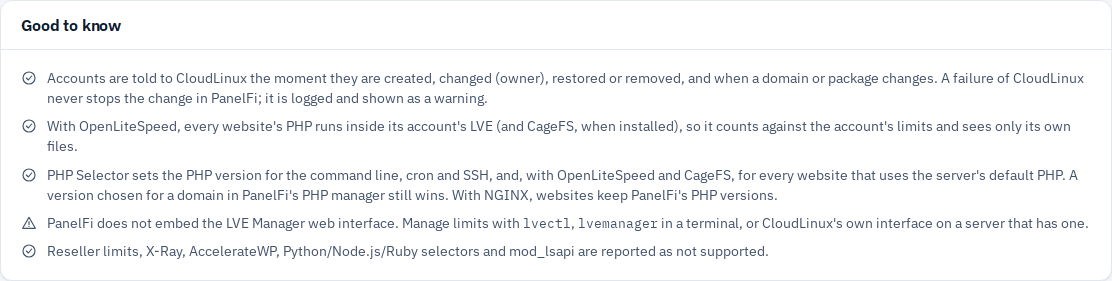
| LVE Manager web interface | Not embedded | Use lvectl, cloudlinux-packages and lveinfo in a terminal. |
| Reseller limits, X-Ray, AccelerateWP, Python/Node.js/Ruby selectors, mod_lsapi | Not yet | PanelFi reports them to CloudLinux as unsupported. |
Install CloudLinux and PanelFi
CloudLinux OS is a licensed product; PanelFi does not install it. You need a CloudLinux OS Shared or Shared Pro license (or a trial key) and an AlmaLinux 8, 9 or 10 server.
- Start from a fresh AlmaLinux server and convert it to CloudLinux with CloudLinux's installer. Minimal images lack
wget, which the installer needs:dnf install -y wget curl -O https://repo.cloudlinux.com/cloudlinux/sources/cln/cldeploy sh cldeploy -k YOUR_CLOUDLINUX_KEY
- Reboot into the CloudLinux kernel:
reboot. - Install PanelFi with the one-line installer from the Downloads page. It recognises CloudLinux as a supported system (see AlmaLinux, Rocky Linux and RHEL for what it changes).
- Install CageFS and the alt-php versions you want to offer in PHP Selector:
dnf install -y cagefs
cagefsctl --init
dnf groupinstall -y alt-php
You can install single versions instead, for examplednf install -y alt-php82 alt-php83. - Open Security Center > CloudLinux & Imunify360 in the Server panel and click Enable CloudLinux mode (next section).
PanelFi can also be installed first and the server converted to CloudLinux afterwards. Reboot after cldeploy, then reload the CloudLinux & Imunify360 page.
Enable CloudLinux mode
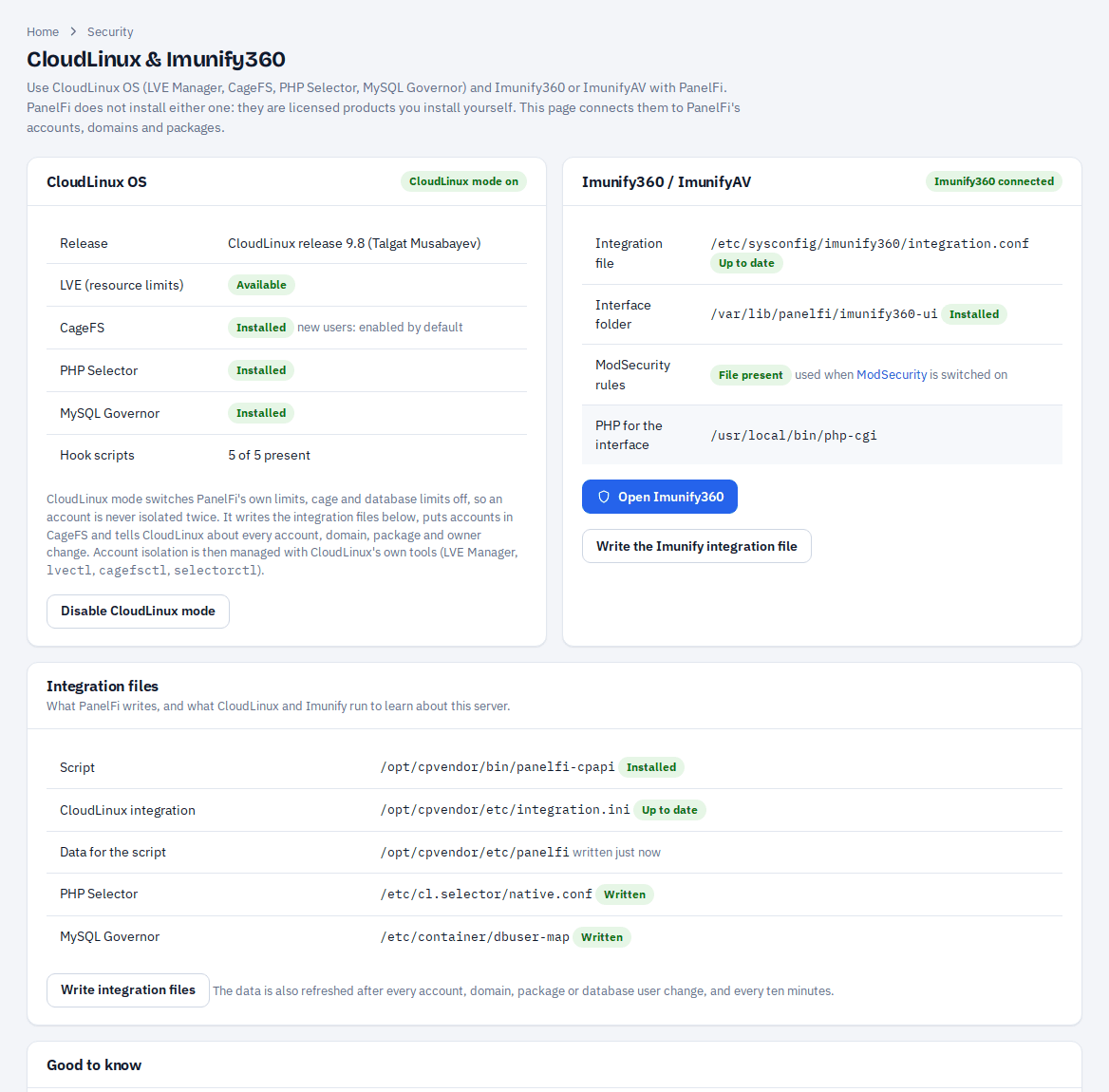
The CloudLinux OS card shows what PanelFi found: the release, LVE, CageFS, PHP Selector, MySQL Governor and CloudLinux's hook scripts.
- Open Security Center > CloudLinux & Imunify360.
- Click Enable CloudLinux mode. The activity box shows each step.
Enabling CloudLinux mode:
- Installs PanelFi's integration script at
/opt/cpvendor/bin/panelfi-cpapiand writes/opt/cpvendor/etc/integration.ini, so CloudLinux reads PanelFi's accounts, domains, packages, resellers and PHP versions. - Tells CloudLinux about every existing account.
- Sets CageFS to cage every account by default and puts every existing account in CageFS. New accounts are caged as they are created.
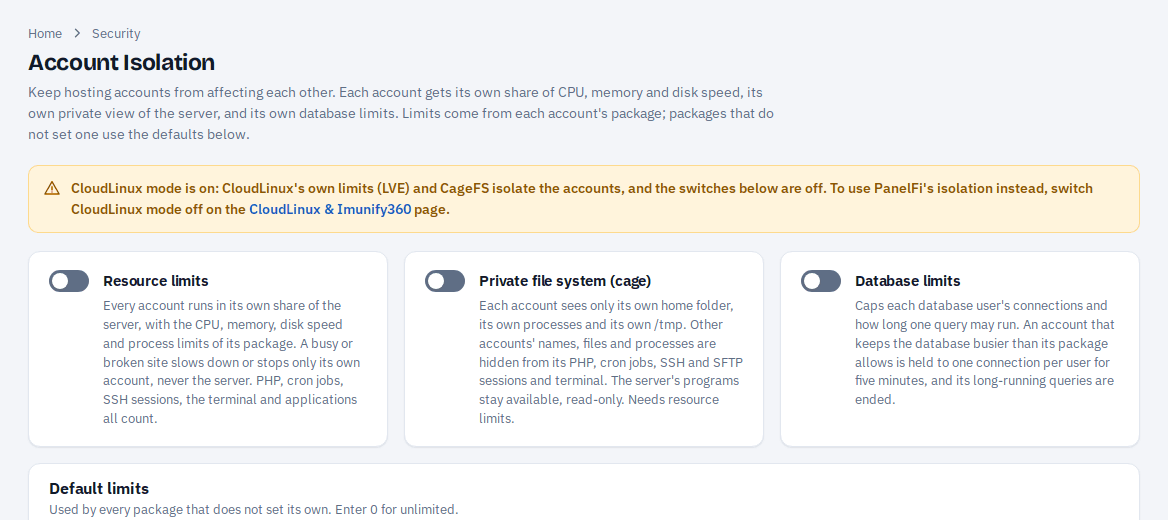
- Switches PanelFi's own Account Isolation off, so no account is isolated twice. The Account Isolation page then says that CloudLinux is in charge.
- Has OpenLiteSpeed run every website's PHP inside its account's LVE and CageFS.
Limits and packages
In CloudLinux mode, limits come from CloudLinux, not from PanelFi's package form. Every PanelFi package exists in CloudLinux with the same name and owner, and each account is assigned to its package. Set limits per package with CloudLinux's tools, for example:
cloudlinux-packages set --json --provider root --package standard --speed 80% --pmem 1024M
lvectl list-user           # limits each account has now
lveinfo --period=1h        # who reached their limits
A limit set for a single user with lvectl set-user overrides that user's package. Renaming a package in PanelFi renames it in CloudLinux and keeps its limits.
CageFS
CageFS gives each account a private view of the server: its own home folder, a cut-down /etc/passwd and only the system files it needs. In CloudLinux mode it covers SSH and the terminal, cron jobs, and, with OpenLiteSpeed, every website's PHP. Manage it with cagefsctl, for example cagefsctl --list-enabled or cagefsctl --disable USER. After you install new system software, run cagefsctl --force-update. PanelFi does this itself after installing PHP versions or extensions.
PHP Selector
PHP Selector lets each account choose an alt-php version and its extensions, with selectorctl or CloudLinux's PHP Selector interface:
selectorctl --set-user-current=8.2 --user=USER
selectorctl --enable-user-extensions=sockets --user=USER --version=8.2
- Websites: with OpenLiteSpeed and CageFS, every domain that uses the server's default PHP runs the version chosen in PHP Selector. A version picked for a domain in PanelFi's PHP manager still takes priority. The selector's native version is PanelFi's default PHP.
- Command line, cron and SSH:
phpruns the chosen version. - NGINX: websites keep the PHP-FPM versions set in PanelFi; the selector applies to the command line only.
To do this, PanelFi provides the native PHP entry points CloudLinux expects: /usr/local/bin/php, php-cgi and lsphp-panelfi, all named in /etc/cl.selector/native.conf. Inside each cage, CageFS swaps them for the chosen version. PanelFi never replaces a /usr/local/bin file it did not write.
MySQL Governor
MySQL Governor limits each account's database CPU and I/O. It replaces MariaDB with CloudLinux's build of the same version, so back up your databases first:
mkdir -p /root/dbbackup
mysqldump --all-databases --single-transaction --routines --events > /root/dbbackup/all.sql
dnf install -y governor-mysql
mysql -V     # e.g. "Distrib 10.5.29-MariaDB" means mariadb105
/usr/share/lve/dbgovernor/mysqlgovernor.py --mysql-version=mariadb105
/usr/share/lve/dbgovernor/mysqlgovernor.py --install --yes
PanelFi notices Governor within ten minutes (or straight away when you open the CloudLinux & Imunify360 page). It then writes /etc/container/dbuser-map, which maps every database user to its account. Database users created or removed later update the map automatically. Check it with dbctl list and dbtop.
Integration files
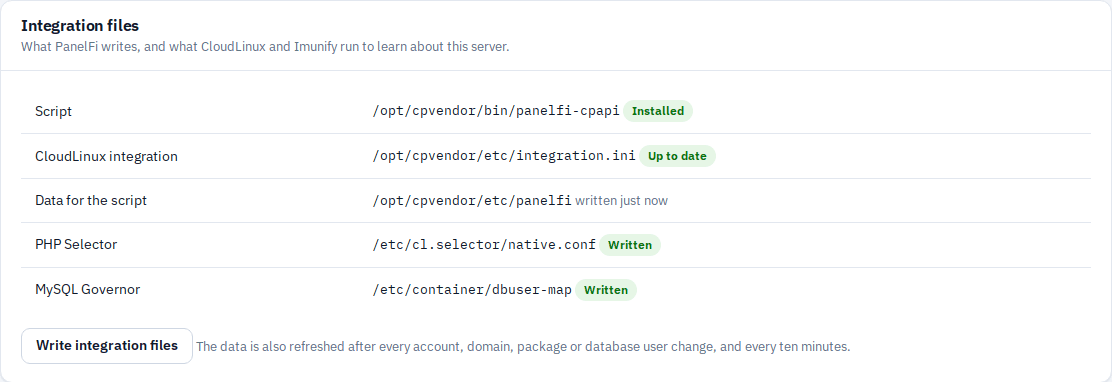
The Integration files card lists what PanelFi writes for CloudLinux and whether each file is current. PanelFi refreshes the data after every account, domain, package or database user change, and every ten minutes. Click Write integration files to rewrite them at once, for example after you change something by hand.
Switch back to PanelFi's isolation
Click Disable CloudLinux mode on the CloudLinux & Imunify360 page. CloudLinux stops reading PanelFi's data, and websites' PHP no longer runs in LVE. Then turn on the parts you want on the Account Isolation page. PanelFi's own limits and cage work on every supported system, CloudLinux or not.
Check that it works
/opt/cpvendor/bin/panelfi-cpapi panel_info    # CloudLinux sees "PanelFi"
lveps -p                                       # websites' lsphp processes under each account
cagefsctl --list-enabled
selectorctl --user-current --user=USER
cldiag --all
cldiag reports a quota error when disk quotas are not enabled on /home. That does not affect LVE, CageFS or PHP Selector.
Notes
- If CloudLinux fails to run a hook, the change still goes through in PanelFi. The failure is logged and shown as a warning.
- Tested end to end on CloudLinux OS 9.8 with OpenLiteSpeed, CageFS, alt-php 8.2 and 8.3, MySQL Governor with MariaDB 10.5, and ImunifyAV.