Where to find itServer panel › SSL/TLS › Manage AutoSSL
What it does
When AutoSSL is on, PanelFi requests a Let's Encrypt certificate for each domain on the server, runs again every 6 hours and whenever domains are added. The page header tells you if AutoSSL is turned off in Basic Setup, or if the staging CA is in use (staging certificates are not trusted by browsers).
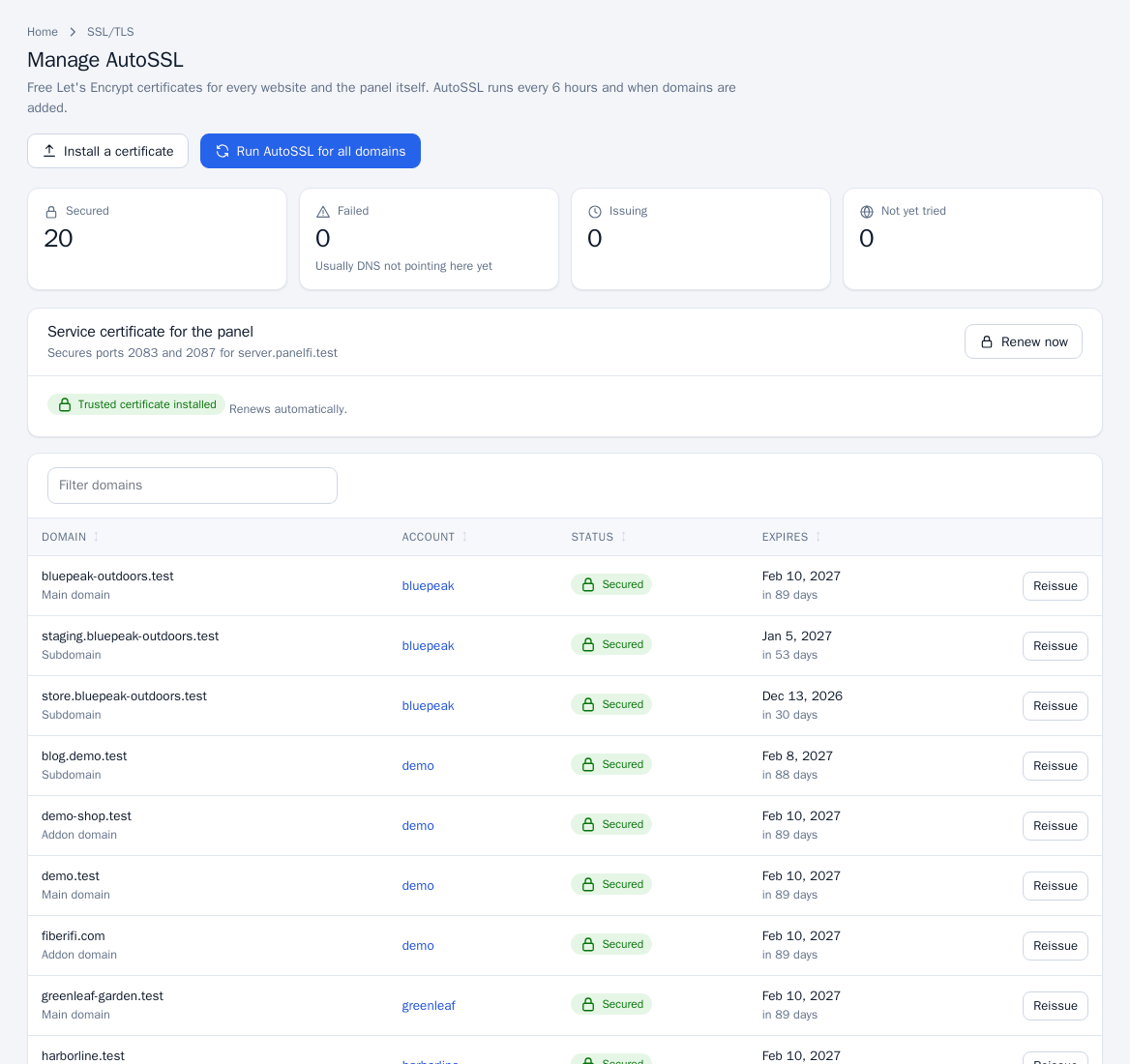
Read the status summary
- Secured: domains with an active certificate.
- Failed: usually DNS does not point at this server yet. The error is shown under the domain.
- Issuing: a request is in progress.
- Not yet tried: domains AutoSSL has not attempted.
Issue or renew certificates
- Open SSL/TLS > Manage AutoSSL.
- To process everything, click Run AutoSSL for all domains (root administrator only).
- To act on one domain, use the button in its row: Issue for a domain without a certificate, Reissue for one that already has one.
The table lists each domain, its type, the owning account, the status and the expiry date.
Turn AutoSSL on or off
The AutoSSL checkbox lives in Basic Setup and Tweak Settings (Server settings). When it is off the page still lists domains, but nothing is issued automatically.
Resellers
Resellers can open Manage AutoSSL for their own accounts' domains. Installing a certificate and the panel service certificate are root-only.
Notes and limits
- A certificate can only be issued once the domain's DNS points at this server.
- Domains with a custom (installed) certificate show a Remove button instead of Reissue; see Custom and hostname certificates.
- Customers see the result for their own domains in the Customer panel: SSL/TLS Status.