Add a reseller
- In the Server panel open Resellers > Reseller Center and click Add a reseller.
- Enter the Username, Email and a Password (or click Generate).
- Set the limits:
- Accounts: how many hosting accounts the reseller may create.
- Disk space to allocate (GB): the total of their accounts' package disk quotas cannot exceed this.
- Monthly bandwidth to allocate (GB): same for bandwidth. Each limit can be Unlimited.
- Click Add reseller. The reseller signs in on port 2087 with the username and password you gave.
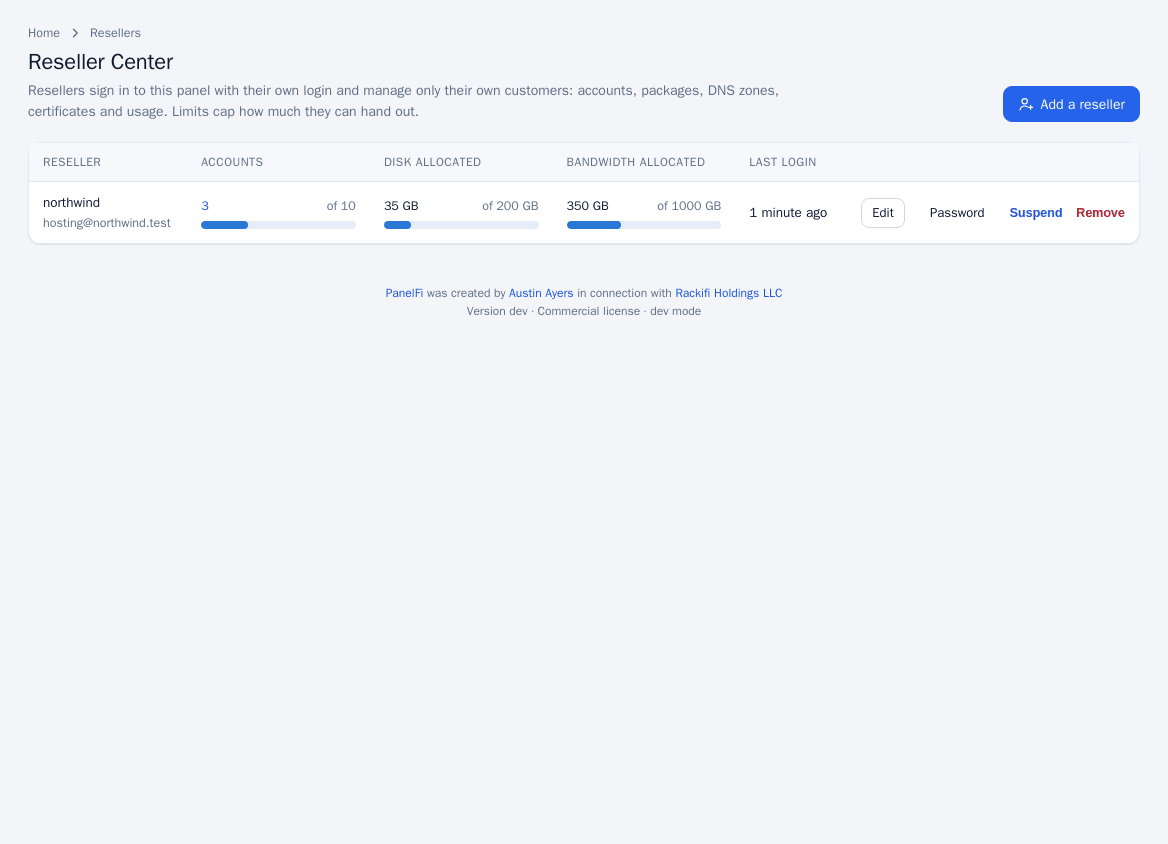
The table shows each reseller's accounts, disk allocated and bandwidth allocated against their limits, and their last login.
Creating resellers requires a Professional license; on Free the request is refused. See Licensing and updates.
Edit, reset a password, suspend or remove
- Edit: change the email and the three limits.
- Password: set a new password for the reseller.
- Suspend: the reseller can no longer sign in. Tick Also suspend every account they own to take their customers' websites offline too. Unsuspend reverses it.
- Remove: choose a New owner of their accounts (an administrator or another reseller) and type the reseller's username to confirm. Their hosting accounts are kept and handed over, and their packages become server packages.
Move an account to a reseller
An administrator changes who owns an account on the account's page (Owner (reseller) then Change owner), or picks the owner when creating the account. The move is refused if it would exceed the new owner's limits. A package can also make each new account a reseller of its own; see Packages.
What a reseller can do
A reseller sees a reduced Server panel menu and only their own accounts. The tools they can use are:
- The reseller dashboard with their plan, usage and accounts, with the nameservers and server IP to give customers.
- List Accounts, List Suspended Accounts, List Subdomains, List Parked Domains, List Addon Domains and Show Accounts Over Quota.
- Create a New Account and Modify an Account (package, password, suspension, termination, log in as the customer), within their limits.
- Packages and Add a Package: their own packages, saved with their username in front, within their plan's limits. They can also use server packages.
- DNS Zone Manager for their accounts' zones, Manage AutoSSL for their accounts, Resource Usage, Unblock an IP Address, the Audit Log and the change-password page for their own login.
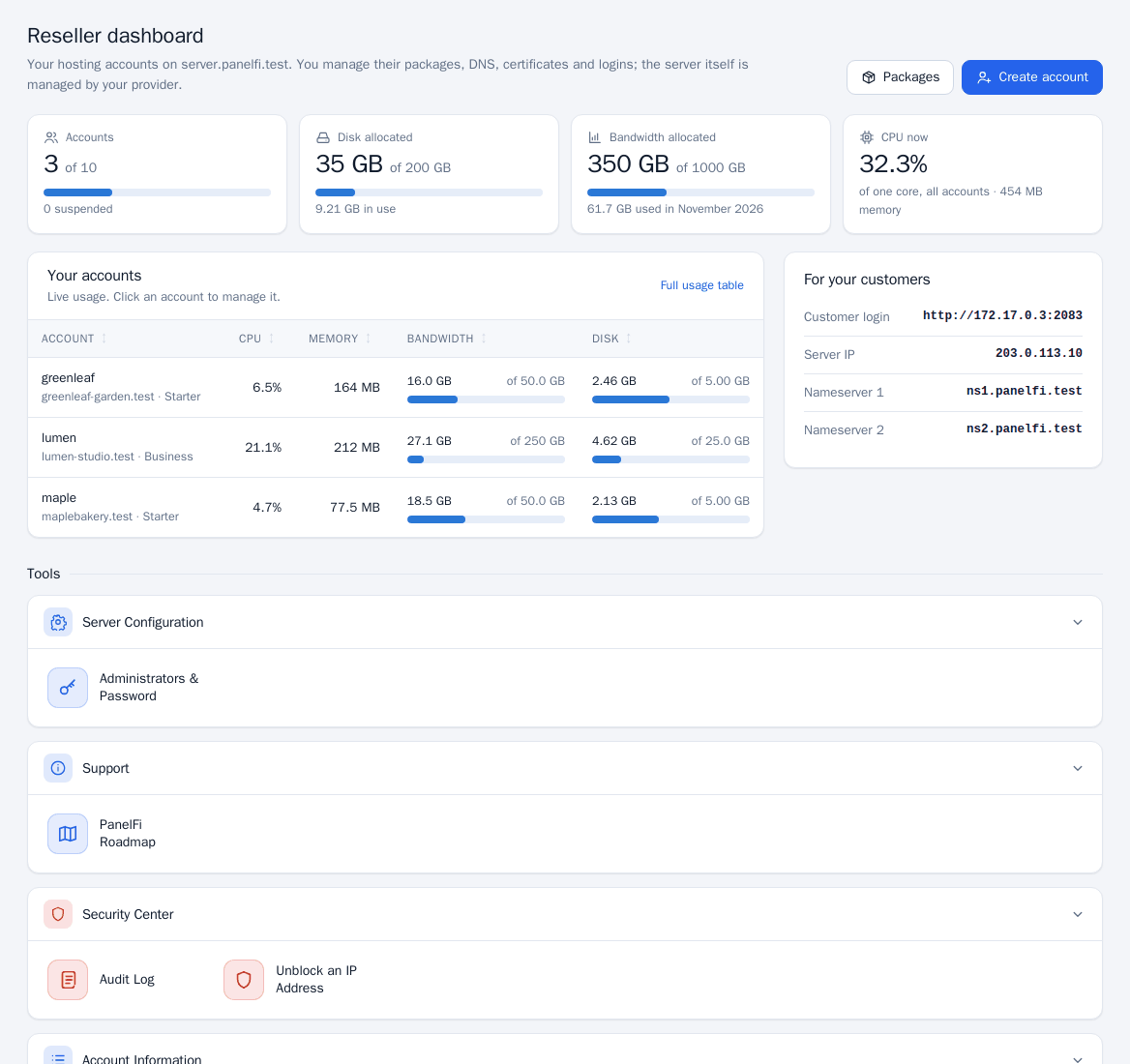
Resellers cannot change server settings, the Feature Manager, branding, the web server, PHP, backups, transfers, or move accounts between owners.
Reseller resource ceilings
Under Security Center > Account Isolation an administrator can set the highest CPU, memory and I/O limits any of a reseller's accounts may have. See Account Isolation.
Notes
- Branding and white-label are set server-wide by the administrator: Branding and white label.
- A reseller's customers sign in to the Customer panel on port 2083.