Where to find itServer panel › Service Configuration › Web Server
What it does
PanelFi generates each site's web configuration for whichever engine is active. Switching engines re-renders the same sites for the new engine, so you do not edit configuration by hand and nothing needs to be re-created.
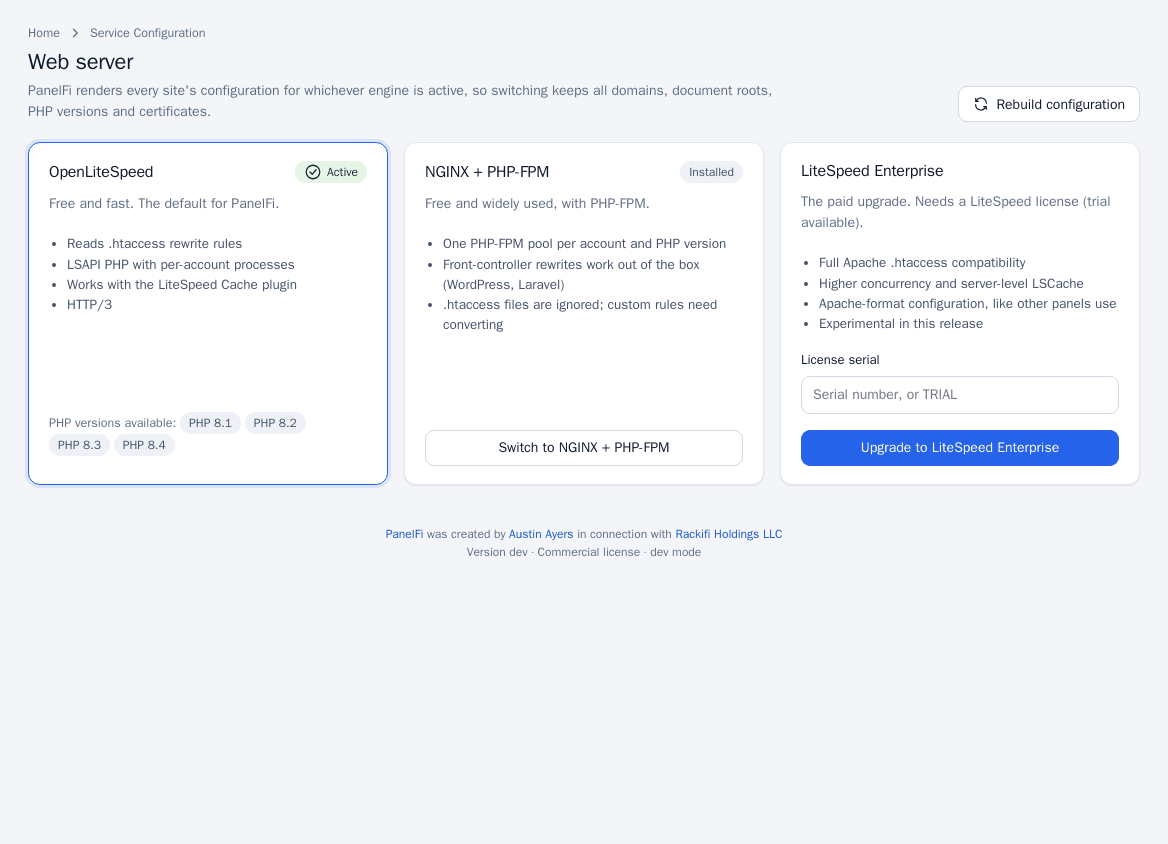
The three engines
| Engine | Notes |
|---|---|
| OpenLiteSpeed | Free, the default. Reads .htaccess rewrite rules, runs PHP over LSAPI with per-account processes, works with the LiteSpeed Cache plugin, supports HTTP/3. |
| NGINX | Free, with PHP-FPM: one pool per account and PHP version. WordPress and Laravel front-controller rewrites work out of the box. .htaccess files are ignored, so custom rules must be converted to NGINX rules. |
| LiteSpeed Enterprise | Paid upgrade that needs a LiteSpeed license (a trial is available). Full Apache .htaccess compatibility and server-level LSCache. Marked experimental in this release. |
Switch the web server
- Open Service Configuration > Web Server. The active engine shows Active; engines already on the server show Installed.
- On the engine you want, click Switch to NGINX (or OpenLiteSpeed). For LiteSpeed Enterprise, enter your License serial (a serial number, or
TRIAL) and click Upgrade to LiteSpeed Enterprise. - Follow the progress in the job panel near the top (Switching web server…, then Done or Failed with the log). Every site stays online on the current server until the new one is ready.
The job status and its log stay on this page after it finishes. The Task Queue Monitor tile under Server Status links to the same place.
Rebuild configuration
If you changed something outside the panel or a site seems out of sync, click Rebuild configuration. PanelFi re-renders the configuration for every site and reloads the web server.
Changes made in the panel (a new domain, a PHP version change, a certificate) are applied to the web server automatically. You only need Rebuild after manual intervention.
Notes and limits
- Only the root administrator can switch engines.
- Check customers' custom rules before moving to NGINX:
.htaccessis ignored there. - If a switch fails, the error and log are shown under Last switch failed.
- The PHP versions available depend on the active engine; see PHP administration.