Editions
| Free | Professional | |
|---|---|---|
| Hosting accounts | Up to 3 | Unlimited |
| License key | None needed | Required |
| Resellers, white-label branding, commercial API | No | Yes |
Professional comes as a monthly or annual subscription (with a free trial) or as a perpetual license. A perpetual license includes updates for the entitlement period; releases beyond it need maintenance, while the version you have keeps working. See Pricing for current prices and terms.
Check your license
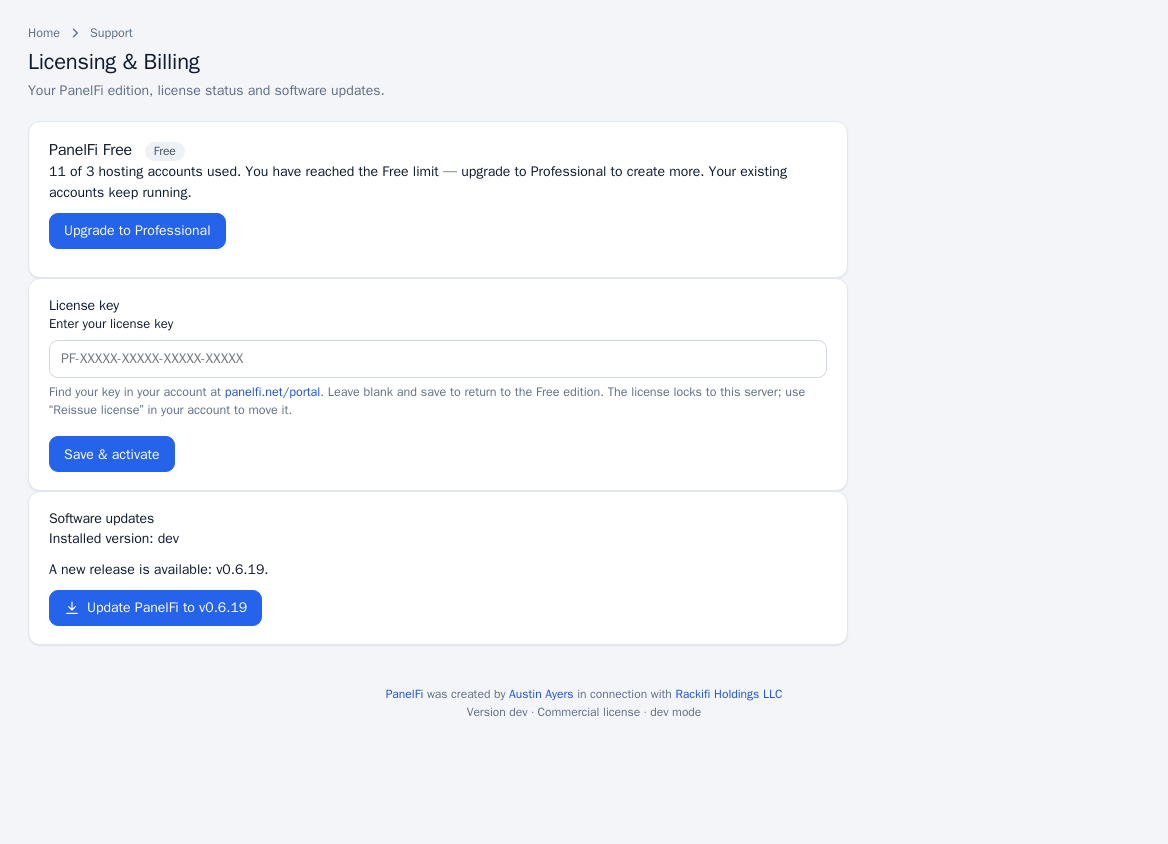
Open Support > Licensing & Billing. The page shows the edition (PanelFi Free or PanelFi Professional), the status, how many hosting accounts are used against the cap, the key in masked form, and when a trial ends, a subscription renews or updates and support run until.
Add or change a license key
- Copy the key from your account at my.panelfi.net.
- In the Server panel open Licensing & Billing, paste it into License key and click Save & activate. PanelFi checks it with the license server straight away and reports what the server said.
- To go back to Free, leave the key blank and click Save & activate. The server then runs the Free edition.
A key is locked to the server it is activated on. To move it, use Reissue license in your account and paste the key into the new server. If the same key is seen on several servers at once, the page warns that the license is running on more than one server: shut down the copies (for example a cloned VM), reissue the license and paste the key again. Your websites keep running meanwhile.
If the license server cannot be reached, the server keeps using its last license for 7 days (perpetual licenses indefinitely) before falling back to Free.
What happens when a license lapses
Hosting never stops because of a license. Websites, email, FTP, SSH, cron and databases keep running whatever the license says. Only the control panels lock, in two situations:
- Suspended license (an unpaid invoice past its grace period). The Server panel opens only Licensing & Billing, backups, transfers and the account list, so nothing is held hostage. In the Customer panel, customers see a license notice instead of their tools. The API refuses changes. New accounts cannot be created. The suspension is stored as a signed token on the server, so blocking the license server does not lift it.
- More accounts than the edition allows. A cancelled, expired or revoked license falls back to Free, which covers 3 accounts. If the server has more, the panel shows a notice with a deadline and after 7 days locks the same way. Removing the key does not help, and a server that was suspended gets no new 7-day notice.
The lock lifts within a minute of paying, entering a valid key, or getting back within the account limit. See section 6 of the Terms for the commercial terms.
On Free, once the third account exists the Create account page refuses another one: PanelFi Free allows up to 3 hosting accounts. Existing accounts keep running.
Update PanelFi
PanelFi updates in place and keeps your web server, settings, accounts and passwords.
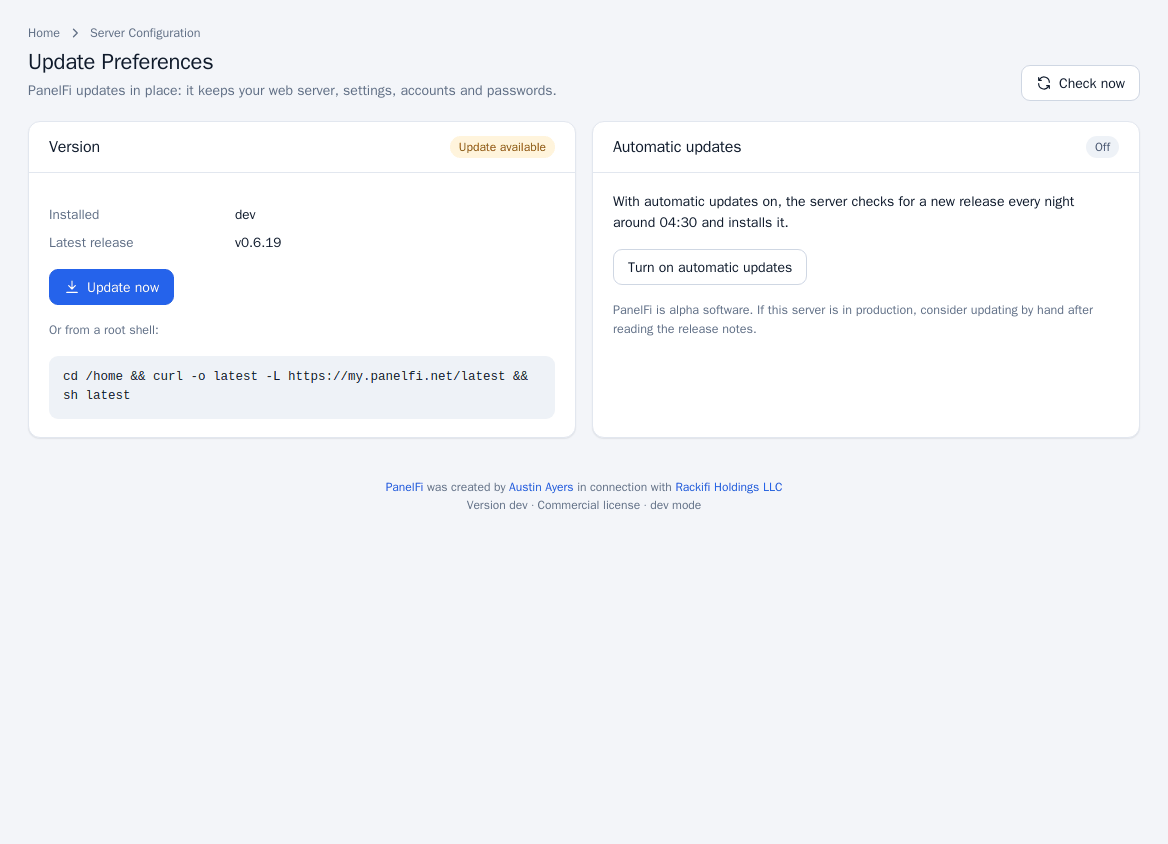
- Open Server Configuration > Update Preferences (the Software updates card on Licensing & Billing has an update button too).
- Click Check now. The page shows the installed version and the latest release.
- If an update is available, click Update now. The update runs on the server by itself and the progress page can be closed; the panel restarts near the end, so the screen may pause for a few seconds.
Before touching anything, PanelFi downloads the release's signed manifest and refuses a release that cannot be verified. If the release is newer than your maintenance entitlement (perpetual licenses), the update is refused with a message and the current version keeps working.
You can also update from a root shell by running the same one-line command used to install; see Downloads.
Automatic updates
On Update Preferences you can turn Automatic updates on. The server then checks for a new release every night around 04:30 and installs it. Leave it off if you prefer to read the release notes first.
Notes
- Licensing is per server, not per account, domain or customer.
- Installing PanelFi on a fresh server is covered in Requirements and installation.
- Partners who resell licenses: Partner program and licensing.