Where to find itCustomer panel › Email › Email Deliverability ; Customer panel › Email › Track Delivery
Email Deliverability
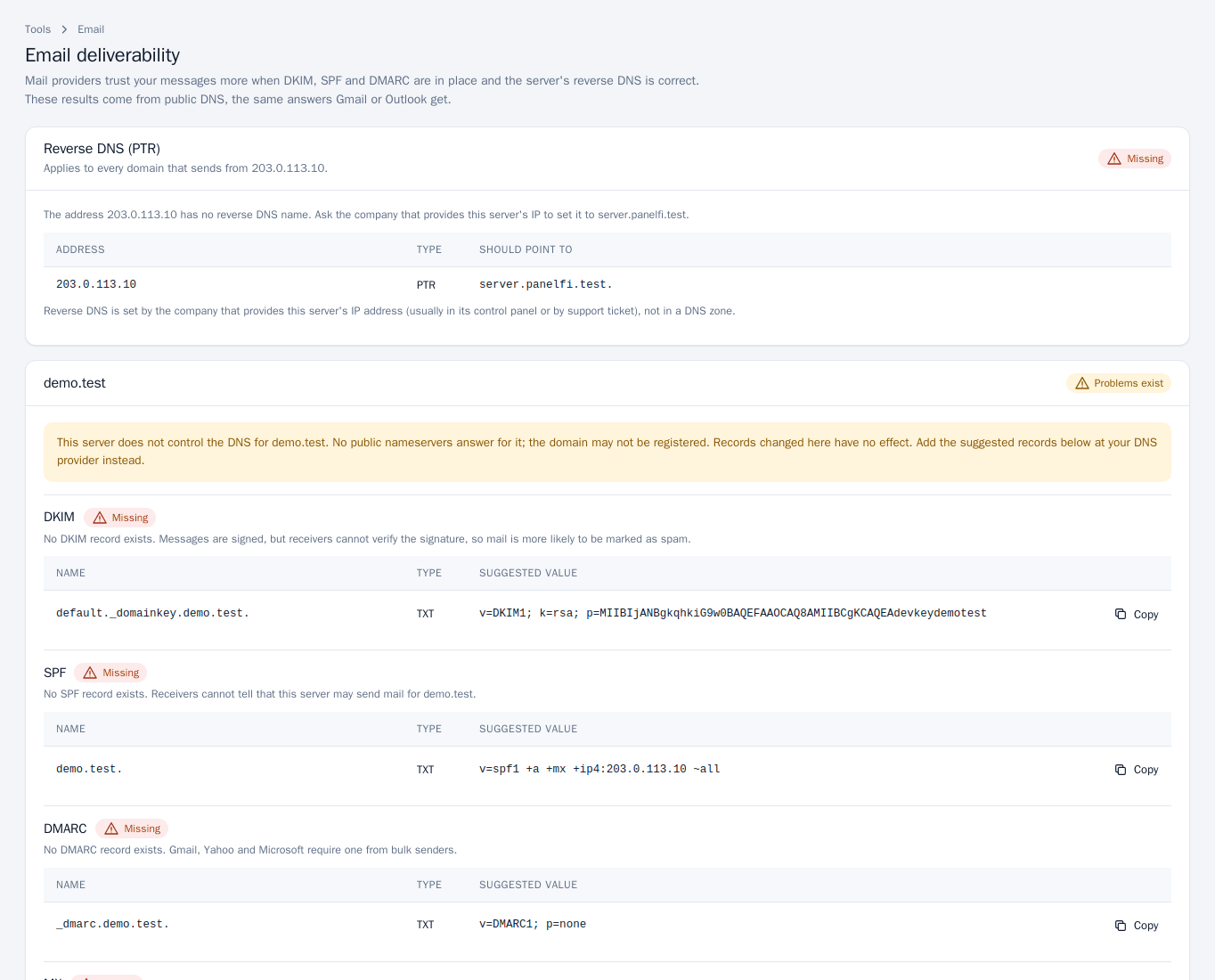
Mail providers trust your messages more when DKIM, SPF and DMARC records are in place and the server’s reverse DNS is correct. Email > Email Deliverability checks these using public DNS, the same answers Gmail or Outlook get.
Read the results
- Reverse DNS (PTR) applies to the server’s IP address and every domain that sends from it. It must point to the server’s hostname. It is set by the company that provides the IP address (usually in its control panel or by support ticket), not in a DNS zone, so you cannot fix it here.
- Each domain has its own card with DKIM, SPF and DMARC. Each shows Valid or Missing, what public DNS returns, and the suggested record (name, type and value) with a Copy button.
Fix missing records
- If the domain’s nameservers are this server’s, click Install the suggested records on the domain’s card.
- If the card says this server does not control the DNS for the domain, its records live at another DNS provider. Records changed here have no effect: add the suggested records there instead, using Copy.
- If the domain’s mail is routed to another server (see Email Routing), its records are managed there.
Records can take time to appear in public DNS; check again later with Track DNS.
Track Delivery
Email > Track Delivery shows what happened to mail sent from or to your domains and what the other mail server said.
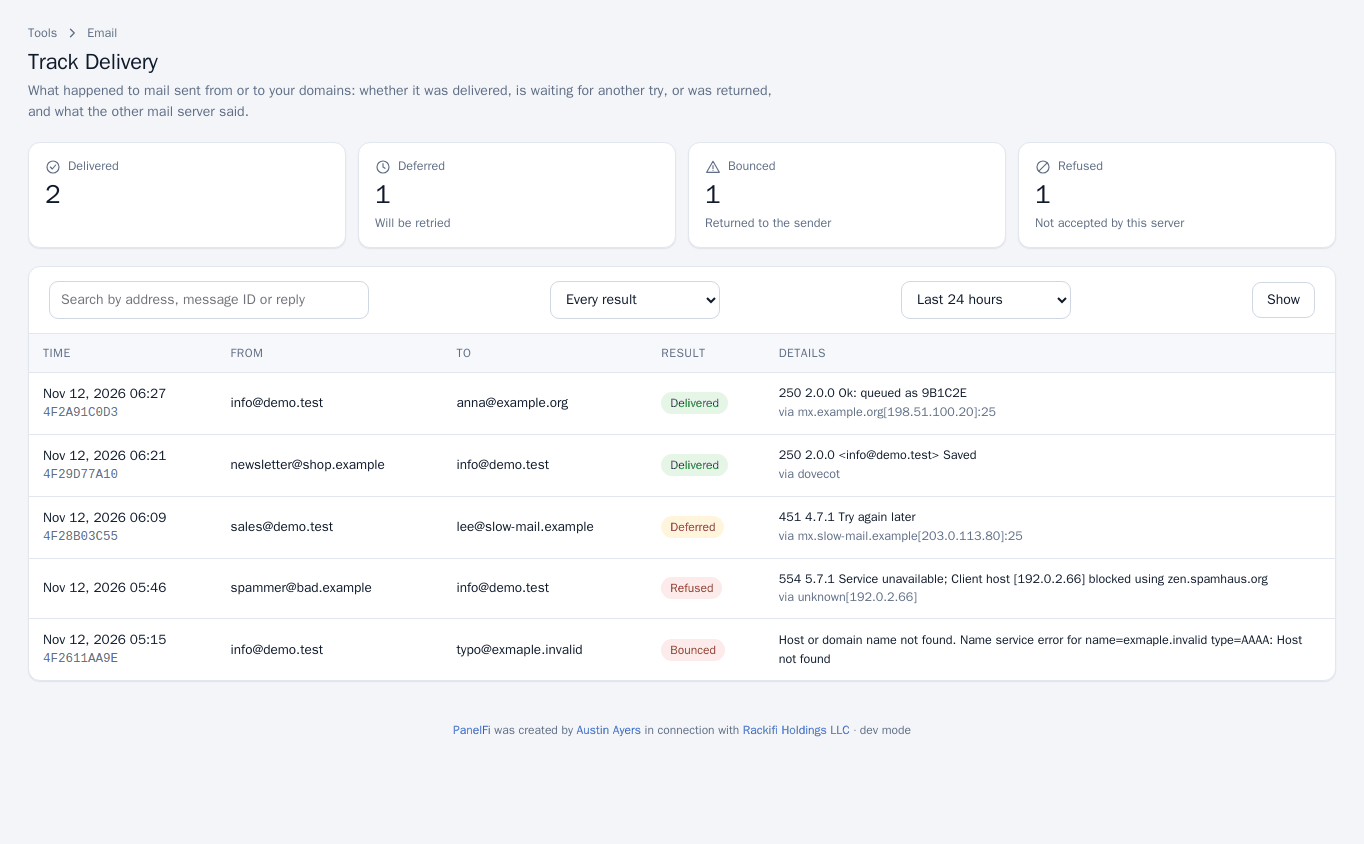
- Pick a time range (for example Last 24 hours) and a result filter, or search by address, message ID or reply text.
- Click Show.
- Delivered: accepted by the destination.
- Deferred: will be retried later.
- Bounced: returned to the sender.
- Refused: not accepted by this server.
The Details column shows the other server’s reply, which usually explains a bounce or deferral.
Notes and limits
- Both tools can be switched off per package in the Feature Manager.
- The server’s own hostname mail identity is covered in Email server (server panel, for the provider).