Where to find itServer panel › Development › Manage Hooks ; Server panel › Plugins › Manage Plugins
Hooks
A hook is an executable file you put in an event's folder; it runs as root after the action, for example to tell a billing system about a new account.
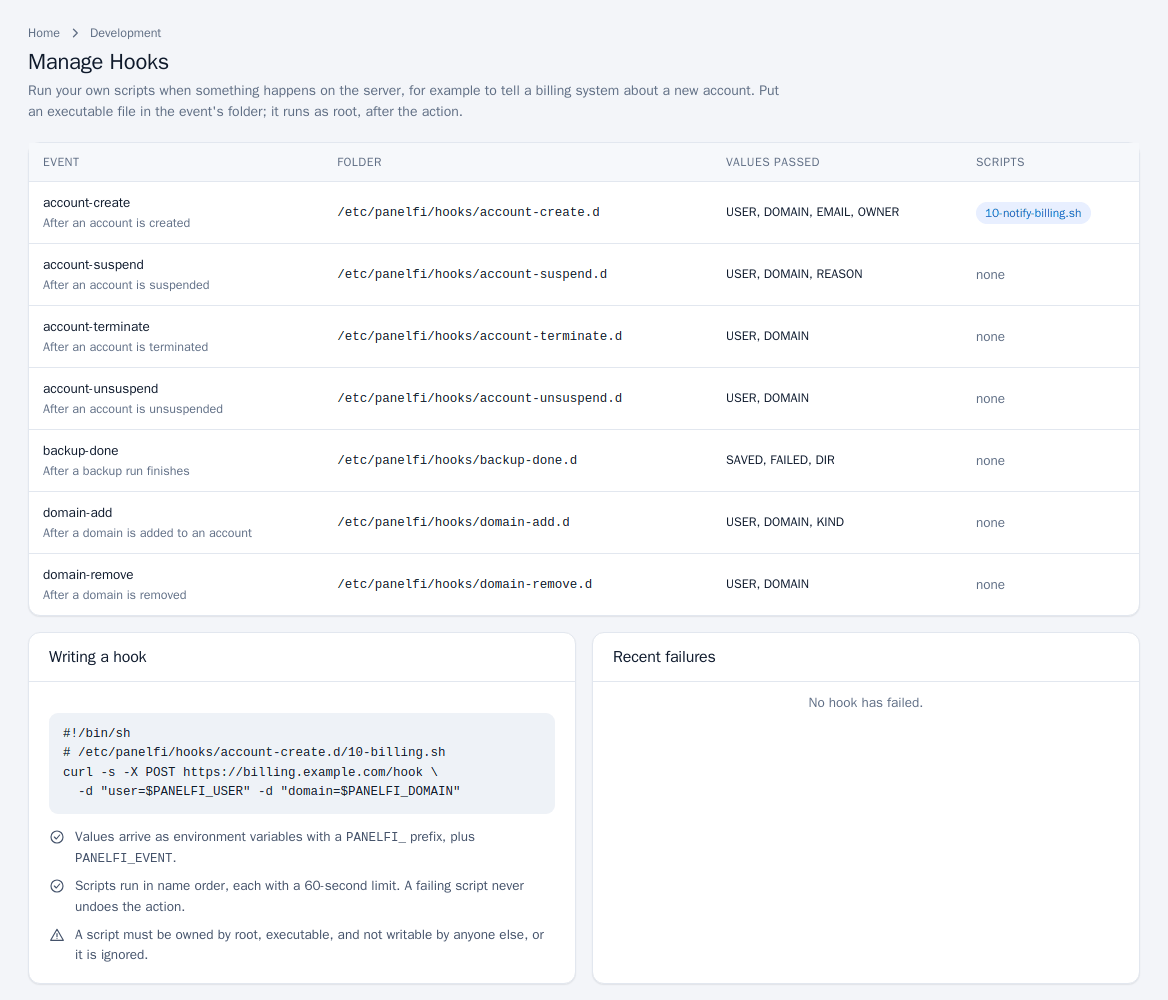
- Open Development > Manage Hooks. The table lists each event, when it runs, its folder, the values passed and the scripts present. The events are: account-create, account-terminate, account-suspend, account-unsuspend, domain-add, domain-remove and backup-done.
- Create an executable script in the event's folder (
/etc/panelfi/hooks/<event>.d/), for example:#!/bin/sh # /etc/panelfi/hooks/account-create.d/10-billing.sh curl -s -X POST https://billing.example.com/hook \ -d "user=$PANELFI_USER" -d "domain=$PANELFI_DOMAIN" - Reload the page: the script is listed under its event. Failures are listed under Recent failures.
- Values arrive as environment variables with a
PANELFI_prefix, plusPANELFI_EVENT. - Scripts run in name order, each with a 60-second limit. A failing script never undoes the action.
- A script must be owned by root, executable, and not writable by anyone else, or it is ignored.
Plugins
Plugins connect PanelFi to other software, such as a billing system. A plugin can add links to the menus of both panels and run its own scripts on the same events as hooks.
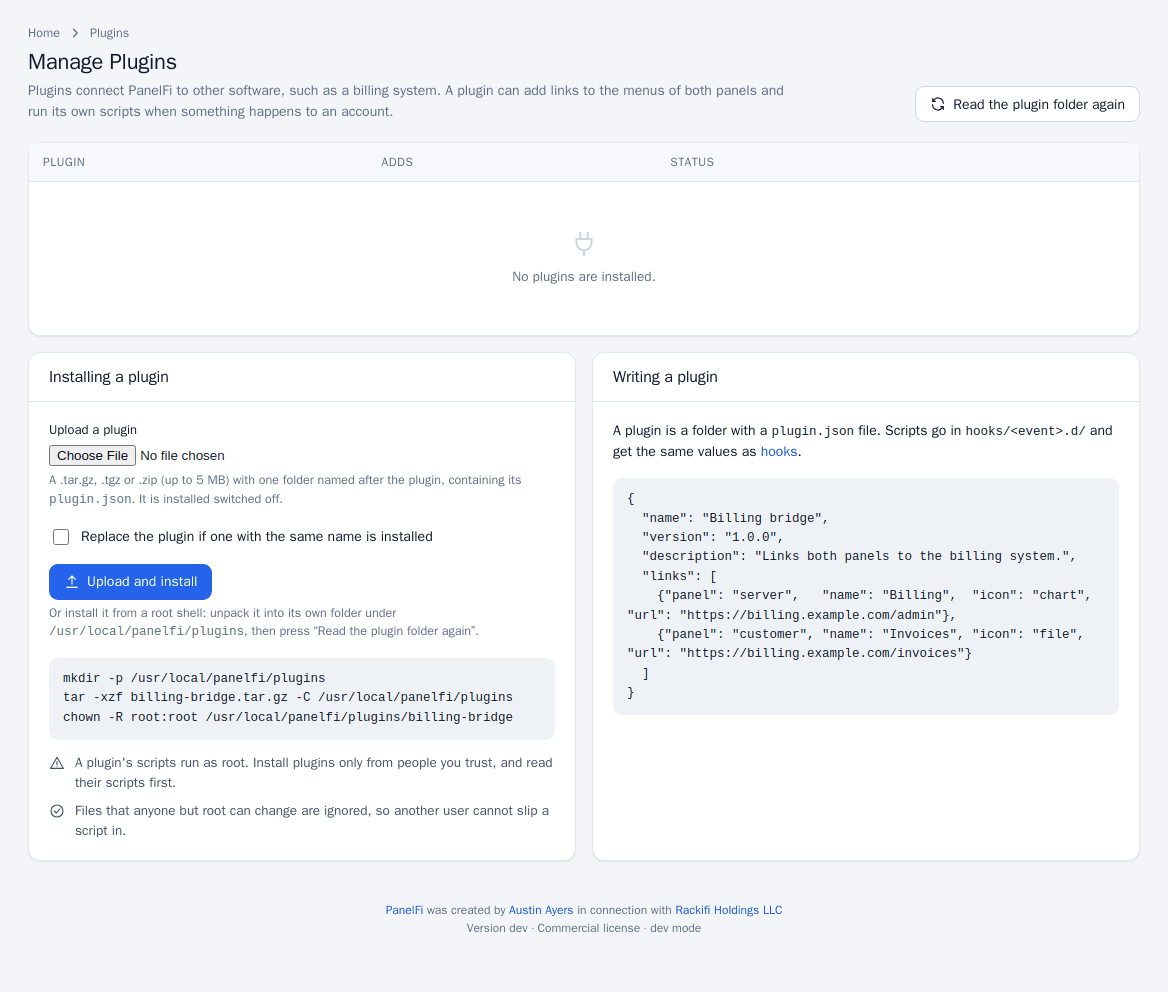
Install a plugin
- Open Plugins > Manage Plugins.
- Under Upload a plugin choose a
.tar.gz,.tgzor.zip(up to 5 MB) with one folder named after the plugin containing itsplugin.json. Tick Replace the plugin if one with the same name is installed to upgrade, then click Upload and install. It is installed switched off. - Or install from a root shell: unpack into its own folder under
/usr/local/panelfi/plugins, setchown -R root:rooton it, then click Read the plugin folder again. - Review the Adds column (links per panel, scripts per event) and click Switch on. Switch off reverses it.
Write a plugin
A plugin is a folder with a plugin.json file. Scripts go in hooks/<event>.d/ and get the same values as hooks.
{
  "name": "Billing bridge",
  "version": "1.0.0",
  "description": "Links both panels to the billing system.",
  "links": [
    {"panel": "server", "name": "Billing", "icon": "chart", "url": "https://billing.example.com/admin"},
    {"panel": "customer", "name": "Invoices", "icon": "file", "url": "https://billing.example.com/invoices"}
  ]
}
Links with a missing panel or a URL that is not a web address are left out and counted in the plugin's row.
A plugin's scripts run as root. Install plugins only from people you trust and read their scripts first. Files that anyone but root can change are ignored, so another user cannot slip a script in.
Notes and limits
- These pages are root-only.
- For calling PanelFi from outside, use the API; hooks go the other way and call out when events happen.