Where to find itCustomer panel › Email › Email Accounts ; Customer panel › Email › Webmail
Create an email account
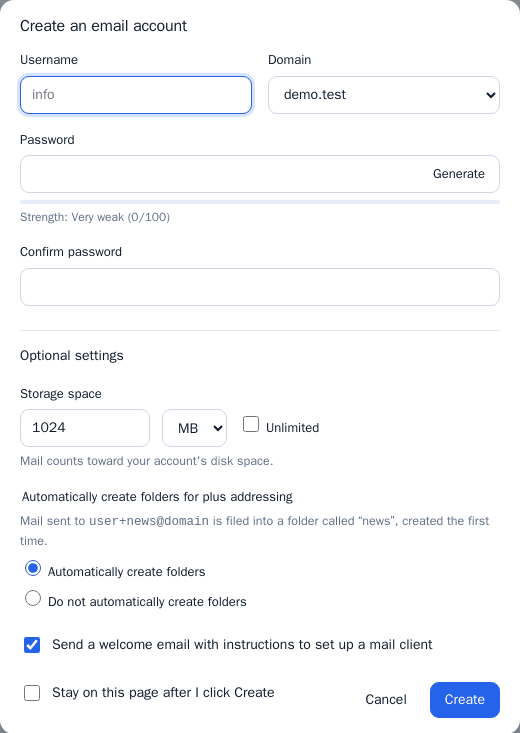
- Open Email > Email Accounts and click Create email account.
- Enter the Username (the part before the @) and choose the Domain.
- Enter the password twice, or use Generate.
- Under Optional settings set the Storage space in MB or GB (or tick Unlimited; mail counts toward your account’s disk space), and you can turn on Automatically create folders for plus addressing (mail sent to
user+news@domainis filed into a folder called “news”, created the first time) and Send a welcome email with instructions to set up a mail client. Tick Stay on this page after I click Create to add several accounts in a row. - Click Create.
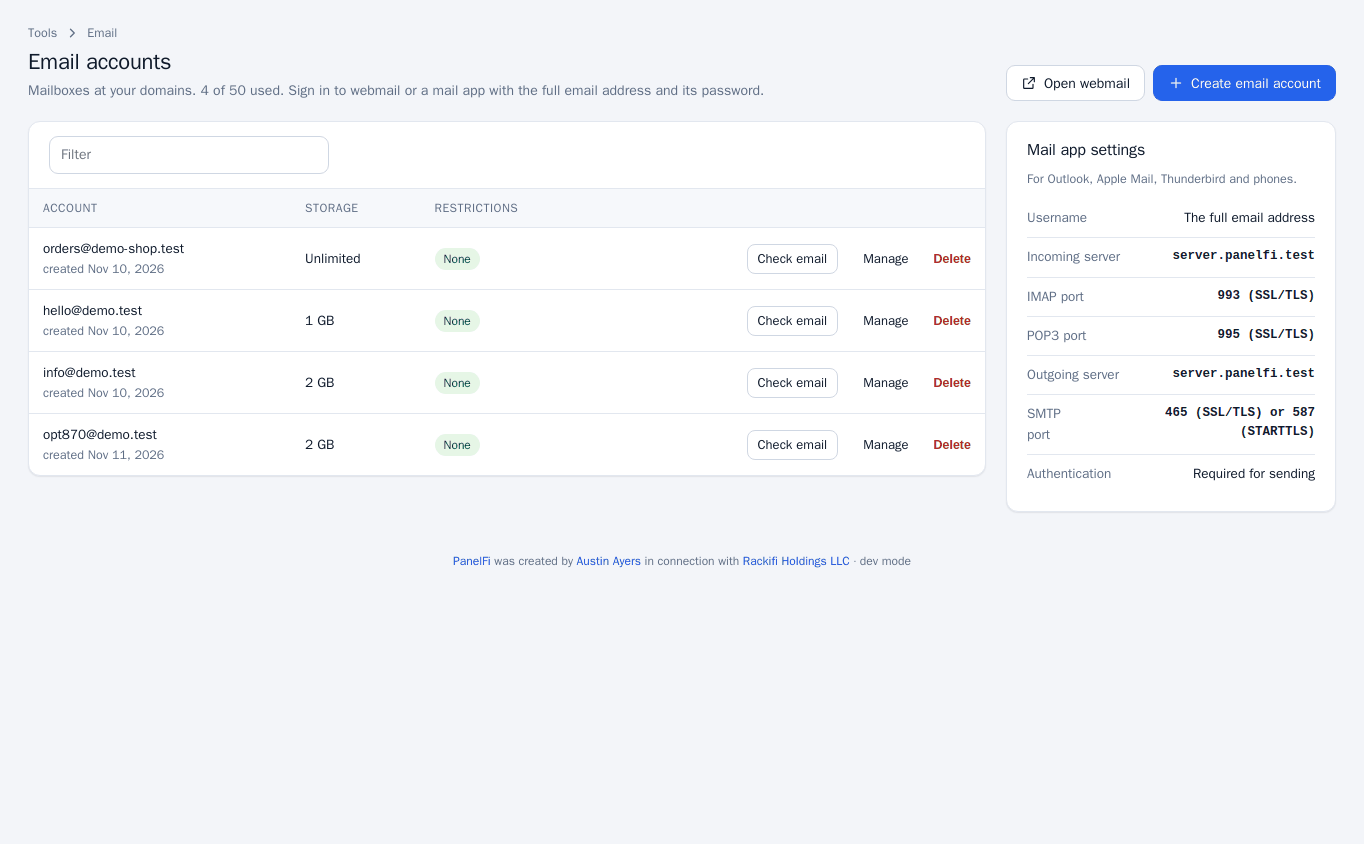
The page header shows how many accounts you have used out of your package limit.
Read mail in webmail
Click Check email on an account, or Open webmail (also under Email > Webmail), and sign in with the full email address and its password. Check email opens webmail already pointed at that address.
Change an account
Click Manage on a row to:
- set a new password (leave blank to keep it),
- change the storage limit,
- Suspend logging in: webmail and mail apps cannot sign in, but mail still arrives,
- Suspend receiving: new mail to this address is rejected.
The Restrictions column shows Login off, Receiving off or None. Use the filter box to find an account.
Delete an account
Click Delete on the row and confirm. Deleting removes the mailbox.
Connect a mail app
The Mail app settings box on the page lists what to enter in Outlook, Apple Mail, Thunderbird and phones:
- Username: the full email address; password: the mailbox password.
- Incoming server: the server name shown on the page. IMAP port 993 (SSL/TLS) or POP3 port 995 (SSL/TLS).
- Outgoing server: the same name. SMTP port 465 (SSL/TLS) or 587 (STARTTLS). Authentication is required for sending.
Notes and limits
- Email Accounts and Webmail can each be switched off per package in the Feature Manager.
- Where a domain’s mail is received (this server or another) is set in Email Routing.
- To make your mail trusted by receivers, check Email Deliverability.